Interior lighting
Front and rear interior lighting
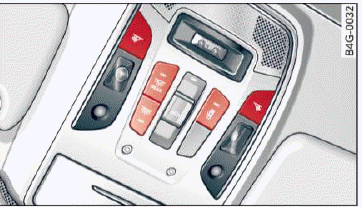
Fig. 40 Front headliner: interior lighting controls
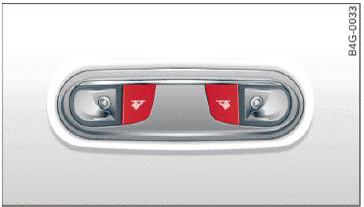
Fig. 41 Rear headliner: Reading light
Press the corresponding button  fig. 40:
 - Interior lighting on/off
 - Door contact switch on/off. The interior lighting is controlled automatically.
 - Reading lights on/off
 - Switching the rear reading lights on/off from the cockpit.
Ambient lighting
Applies to: vehicles with interior lighting
You can adjust the brightness of the interior lighting.
- In the Infotainment system, select: [CAR] function button > (Car) Systems control button > Vehicle settings > Interior lighting > Brightness.
- To increase or reduce the brightness, turn the knob and press it.
The interior lighting turns on when you switch the headlights on while the ignition is on.
Tips
The setting is automatically stored and assigned to the remote control key that is being used.
Instrument illumination
The brightness of the illumination for the instruments, display and head-up display can be adjusted.
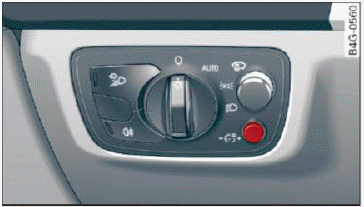
Fig. 42 Instrument illumination
- Press the knob to release it.
- Turn the knob toward "-" or "+" to reduce or increase the brightness.
- Press the knob again to return it to its original position.
Tips
The instrument illumination for the needles and dials turns on when the ignition is turned on and the lights are turned off. The illumination for the gauges reduces automatically and eventually turns off as brightness outside increases.
This function reminds the driver to turn the low beams on at the appropriate time.