Additional information
For more detailed information on the scope of maintenance, view the control display. For operating principles, refer to.
1. Open the home screen.
2. Press the controller to go to the menu .
3. Select "Info sources" and press the controller.
4. Select "Service" and press the controller.
5. Move to the upper field. Turn the controller to select "Service requirements" and press the controller.
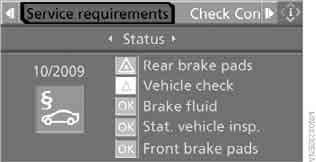
6. Select "Status" and press the controller.
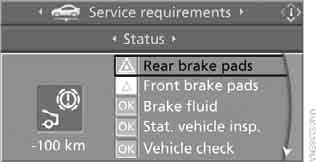
A list of maintenance work and statutory inspections appears on the screen.
You can view detailed information for each entry.
Select the entry and press the controller.
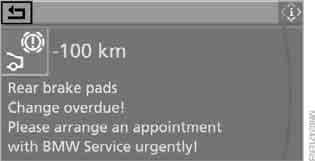
To exit the menu, select and press the controller.
Symbols
 The maintenance due date has not yet been reached.
 The maintenance or statutory inspection is due. Schedule service at a BMW service center.
 The maintenance due date has been missed.
Test yourself
A quick BMW X3 quiz: every answer comes with an explanation and a link to the manual page.