Viewing stored messages
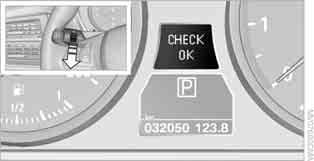
1. Press the down button on the turn signal lever. Stored Check Control messages are displayed or, if there are no messages, the text "CHECK OK".
Check Control messages are also shown as text messages on the control display.
2. Each further press of the button displays the remaining messages, followed by the time and outside temperature or the date.
Displaying additional information
For principles of iDrive operation, refer to.
1. Press the button .
The main menu opens.
2. Press the controller to open the menu .
3. Select "Info sources" and press the controller.
4. Select "Service" and press the controller.
5. Move to the upper field. Turn the controller to select "Check Control messages" and press the controller.
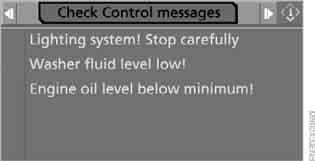
6. Select the message and press the controller.
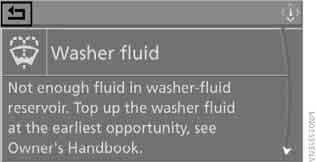
To close this menu, select and press the controller.
Test yourself
A quick BMW X3 quiz: every answer comes with an explanation and a link to the manual page.