Navigation
Navigation DVDs
In this manual: Navigation
~1min read
Inserting the Navigation DVD
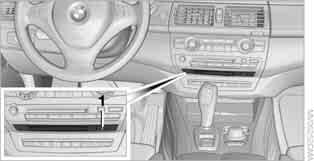
1. Insert the DVD into the drive with the label facing up.
The disc is drawn in automatically.
2. Wait a few seconds, as the system requires some time to read the disc contents.
Removing the Navigation DVD
1. Press the button 1.
The navigation DVD is ejected from the disc drive.
2. Remove the disc.
If the DVD does not eject from the drive, it may be stuck. In this case, a message appears on the control display.
Test yourself
A quick BMW X3 quiz: every answer comes with an explanation and a link to the manual page.
Was this page helpful?