Controls
Audio and video equipment can be operated by:
► with the keys on the CD player;
► via iDrive;
► with the remote control;
► with the keys on the steering wheel.
Buttons on the CD player
The location of the keys varies depending on the equipment.
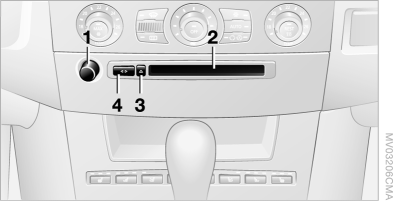
Equipped with one disc drive:
Equipped with two disc drives:
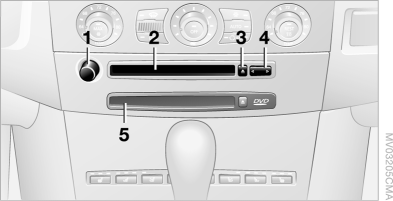
1 Switching the audio system on/off, adjusting the volume ►
Press: switch on and off.
When switched on, playback starts with the last set radio station, the last played CD track, or the last set TV channel.
► Turn: adjust the volume.
2 Audio CD drive
3  Ejecting CD 4 Radio station/track search, selecting another station, selecting a track on the CD 5 Navigation DVD drive, if the "Professional" navigation system is equipped
Operation with iDrive
iDrive operating principles
1. Press the button .
The main menu opens.
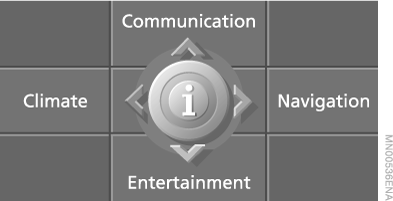
2. Slide the controller back to open the "Entertainment" menu.
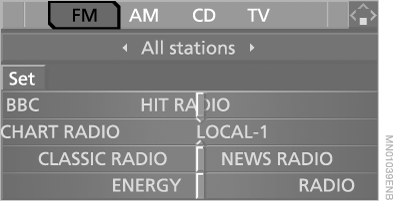
You can select:
► "FM" and "AM": select the waveband;
► "CD": select the CD player or CD changer;
► "TV": select the television;
► "Set": adjust the audio devices, for example the radio:
switching traffic information broadcasts on and off, updating the list of stations with the best reception, programming radio stations, adjusting sound settings, scanning radio stations.
Test yourself
A quick BMW X5 quiz: every answer comes with an explanation and a link to the manual page.