Chevrolet Cruze Owners Manual
Parking Brake
In this manual: Chevrolet Cruze Owners Manual
~1min read
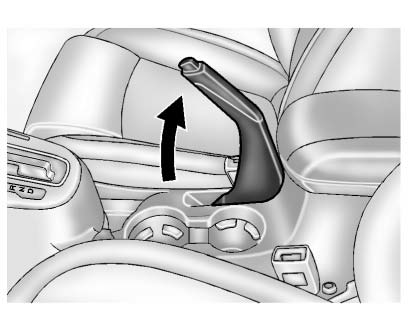
To apply the parking brake, pull up on the parking brake handle. It is not necessary to push in on the release button while applying the parking brake. If the ignition is in the ON/RUN position, the brake system warning light will come on.
To release the parking brake: 1. Hold the brake pedal down. 2. Pull the parking brake handle up until you can press the release button.3. Hold the release button in as you move the brake handle all the way down.
Notice: Driving with the parking brake on can overheat the brake system and cause premature wear or damage to brake system parts. Make sure that the parking brake is fully released and the brake warning light is off before driving.Driving with the parking brake applied will cause a warning chime to sound and the RELEASE PARKING BRAKE message to appear in the DIC. The message will remain on until the parking brake is released or the vehicle is stopped.
If parking on a hill, or if the vehicle is pulling a trailer.
Test yourself
A quick Chevrolet Cruze quiz: every answer comes with an explanation and a link to the manual page.
Was this page helpful?