Keys, Doors, and Windows
Battery Replacement
In this manual: Keys, Doors, and Windows
7steps
~42min
3/5difficulty
Done 0 of 7
Replace the battery in the transmitter soon if the DIC displays REPLACE BATTERY IN REMOTE KEY.
To replace the battery:
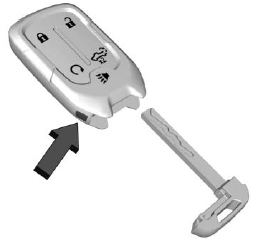
- Press the button on the RKE transmitter to remove the key. Never pull the key out without pressing the button.
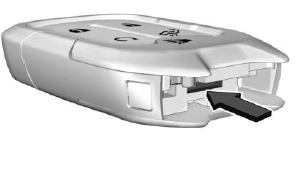
- Insert a flat, thin object in the center of the transmitter to separate and remove the back cover.
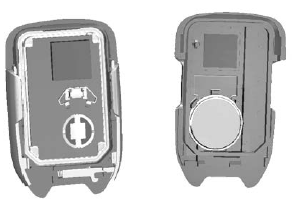
- Lift the battery with a flat object.
- Remove the battery.
- Insert the new battery, positive side toward the back cover. Replace with a CR2032 or equivalent battery.
- Push together the transmitter.
- Insert the key back into the RKE transmitter.
Was this page helpful?