Main Menu
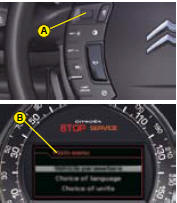
The instrument panel B is located in the centre of the dashboard.
With the vehicle stationary, you can access the main menu of the instrument panel by quickly pressing on the left-hand rotating control A on the steering wheel.
Note: The message “Action impossible whilst driving” is displayed on the instrument panel if you try to open the main menu whilst driving.
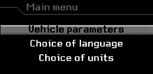
The main menu allows you to programme certain vehicle and instrument panel functions:
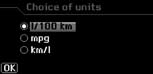
“Choice of units” menu
This allows you to choose metric or imperial units.
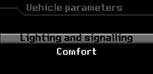
“Vehicle parameters” me
This allows you to access the parameters relating to:
The vehicle lighting.
The comfort levels in the vehicle.
See “Instrument panel - Vehicle parameters”.
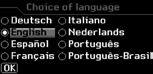
“Choice of language” menu
This allows you to choose the display and voice recognition language.
Test yourself
A quick Citroen C3 quiz: every answer comes with an explanation and a link to the manual page.