Multifunction screens
General menu
In this manual: Multifunction screens
~1min read
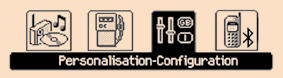
Press the "MENU" button to gain access to the general menu :
- audio functions,
- the trip computer,
- personalisation-confi guration,
- telephone (hands-free kit).
Press the " " or " " buttons to select the menu required, then confi rm by pressing the "OK" button.
Test yourself
A quick Citroen DS3 quiz: every answer comes with an explanation and a link to the manual page.
Was this page helpful?