Electrical
General Procedures - Battery Disconnect and Connect
In this manual: Electrical
11steps
~66min
3/5difficulty
Done 0 of 11
Disconnect
Non-Hybrid Vehicles
NOTICE: Be careful not to damage the battery monitor sensor when removing the terminal clamp from the battery post. Do not touch the terminals or components to avoid possible damage.
- Disconnect the battery monitor sensor electrical connector.
- Loosen, but do not remove, the nut. Set the battery negative cable aside.
Torque: 48 lb-in (5.4 N·m)
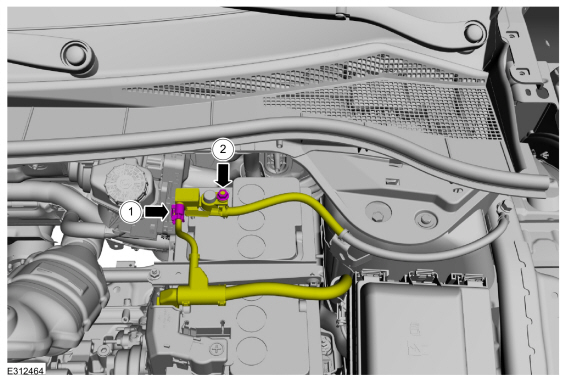
- Set the battery positive cable terminal cover aside.
- Loosen, but do not remove, the battery positive cable terminal nut.
Torque: 48 lb-in (5.4 N·m)
- Disconnect the battery cable retainer from the battery hold-down bracket and set the battery positive cable aside.
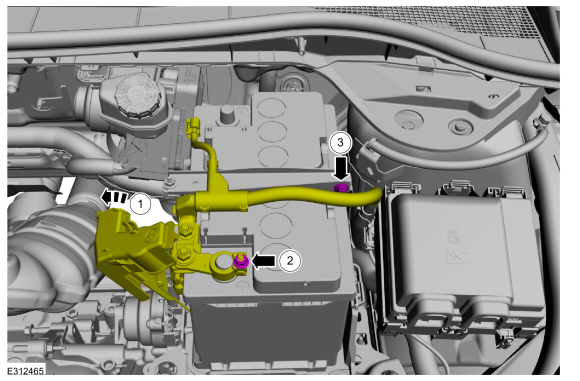
Hybrid Vehicles with Spare Tire
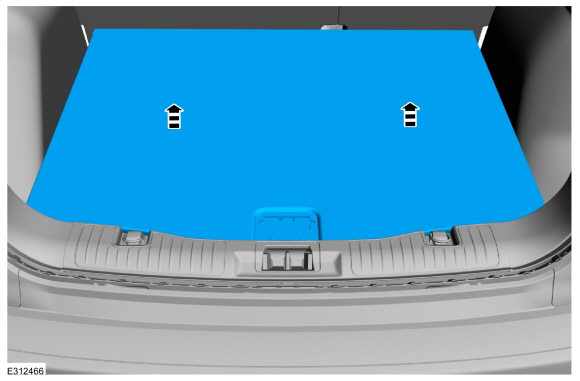
- Remove the rear compartment cover.
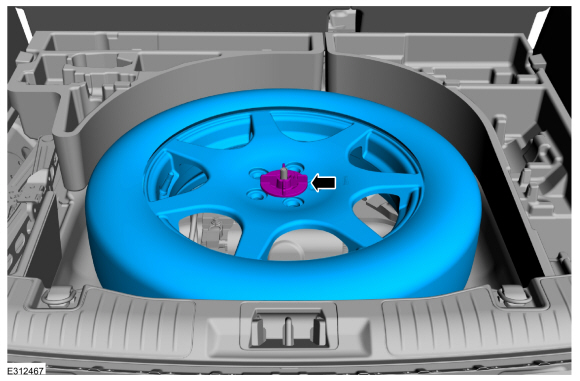
- Remove the nut and the spare tire.
- Remove the bolt and set the battery negative cable aside.
Torque: 26 lb-ft (35 N·m)
- Using electrical tape, insulate the battery negative cable terminal.
- Remove the bolt and set the battery negative cable aside.
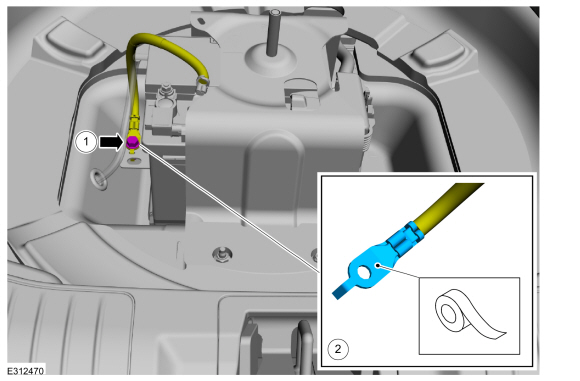 |
- Remove the spare tire carrier nuts and bracket.
Torque: 177 lb-in (20 N·m)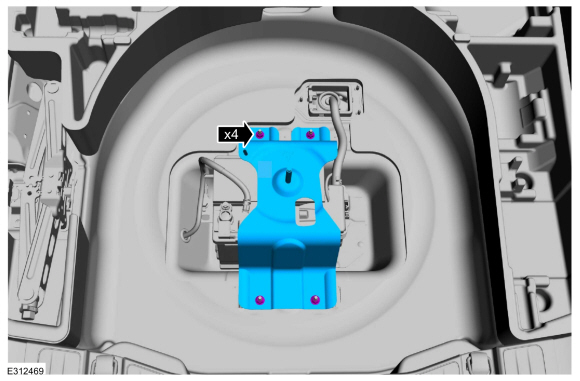
NOTICE: Be careful not to damage the battery monitor sensor when removing the terminal clamp from the battery post. Do not touch the terminals or components to avoid possible damage.
- Disconnect the battery monitor sensor electrical connector.
- Loosen, but do not remove, the nut. Set the battery negative cable aside.
Torque: 48 lb-in (5.4 N·m)
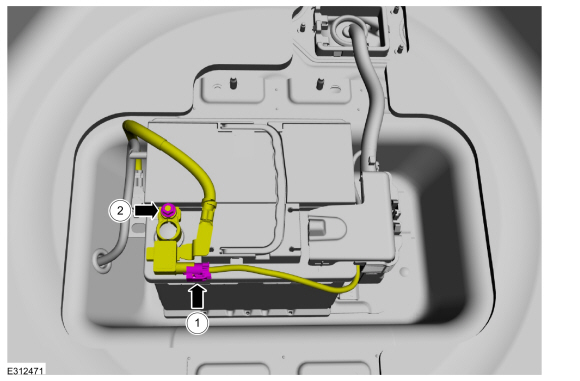
- Set the battery positive cable terminal cover aside.
- Loosen, but do not remove, the nut. Set the battery positive cable aside.
Torque: 48 lb-in (5.4 N·m)
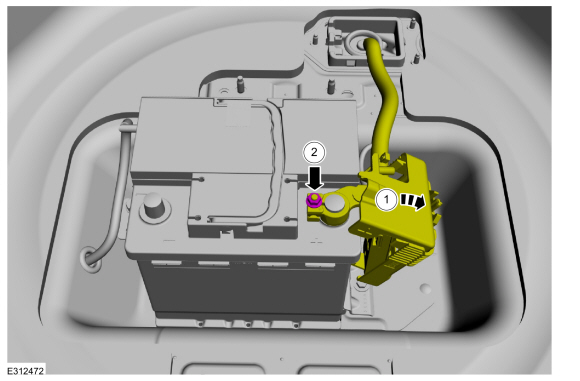
Hybrid Vehicles without Spare Tire
- Remove the rear compartment cover.
|
- Remove the bolt and set the battery negative cable aside.
Torque: 26 lb-ft (35 N·m)
- Using electrical tape, insulate the battery negative cable terminal.
- Remove the bolt and set the battery negative cable aside.
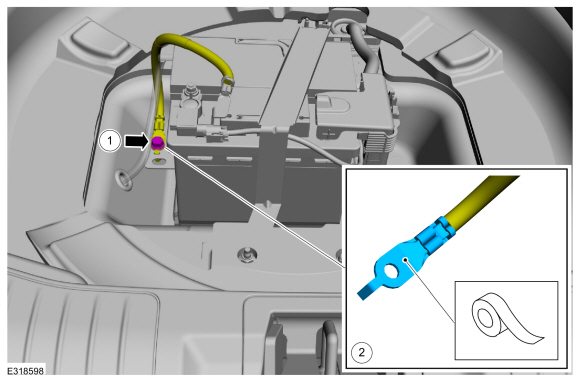 |
NOTICE: Be careful not to damage the battery monitor sensor when removing the terminal clamp from the battery post. Do not touch the terminals or components to avoid possible damage.
- Disconnect the battery monitor sensor electrical connector.
- Loosen, but do not remove, the nut. Set the battery negative cable aside.
Torque: 48 lb-in (5.4 N·m)
- Set the battery positive cable terminal cover aside.
- Loosen, but do not remove, the nut. Set the battery positive cable aside.
Torque: 48 lb-in (5.4 N·m)
Connect
- To install, reverse the removal procedure.
- For vehicles equipped with One-Touch Up and Down front windows, initialize the power door windows.
Refer to: Power Door Window Motor Initialization - Vehicles With: One-Touch Up and Down Front Windows (501-11 Glass, Frames and Mechanisms, General Procedures).
Test yourself
A quick Ford Escape quiz: every answer comes with an explanation and a link to the manual page.
Was this page helpful?