Telephone commands
Your phone system allows you to create an additional phonebook. The stored entries can be dialled by voice control.
Phone numbers stored by using voice control are stored on the vehicle system and not in your phone.
OverviewThe overview below shows the available voice commands. The following lists will give further information about the complete command menu in selected examples.
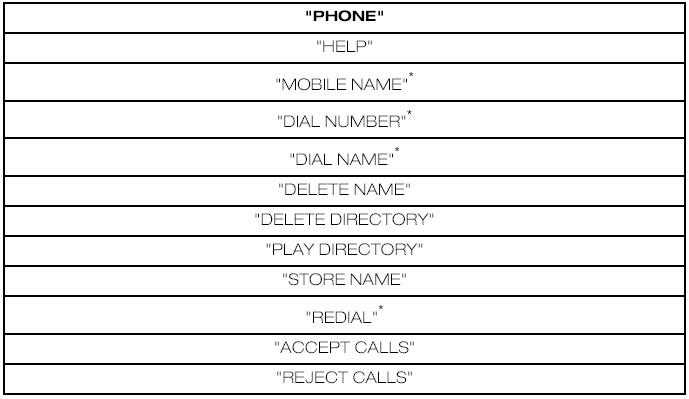
* Can be used as a shortcut.
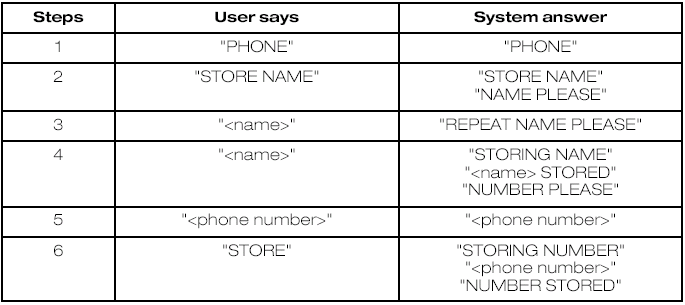
Create a phonebook Store nameNew entries can be stored with the "STORE NAME" command. This feature can be used to dial a number by calling up the name instead of the full phone number.
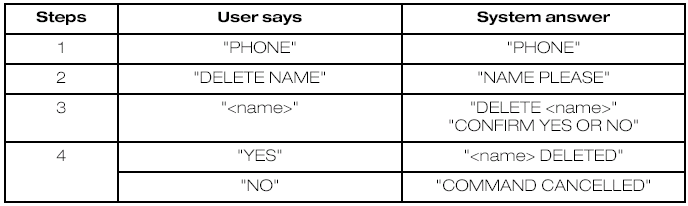
Delete name
Stored names can also be deleted from the directory.
Play directory
Use this function to let the system tell you all stored entries.

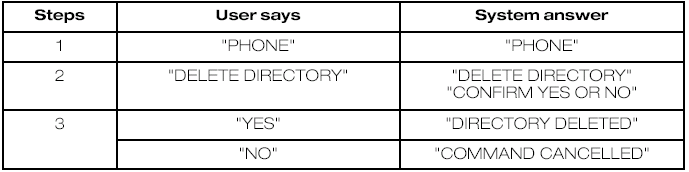
Delete directory
This function allows you to delete all entries in one go.
Phone functions Mobile name
This function allows you to access phone numbers stored with a name tag in your mobile phone.

* Can be used as a shortcut.
Dial numberPhone numbers can be dialled after giving the name tag voice command.
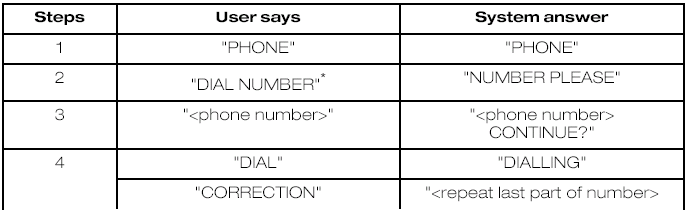

* Can be used as a shortcut.
Dial namePhone numbers can be dialled after giving the name tag voice command.
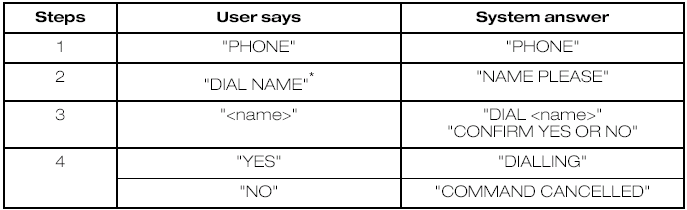
* Can be used as a shortcut.
RedialThis function allows you to redial the last dialled phone number.
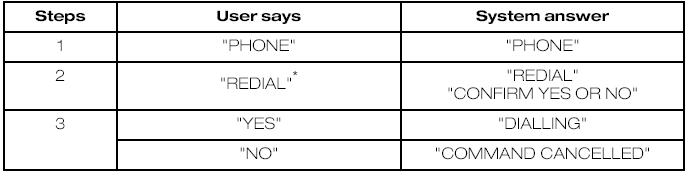
* Can be used as a shortcut.
DTMF (Tone dialling)This function transfers spoken numbers into DTMF tones. For example, to make a remote enquiry to your home answering machine or to enter a PIN number etc.
Can only be used with vehicles installed with a dedicated VOICE button.
Main settings Reject calls
Calls can be set to be automatically rejected using voice control.

* use this command to turn the reject mode off
Test yourself
A quick Ford Focus quiz: every answer comes with an explanation and a link to the manual page.