Battery (Diagnosis and Testing)
Special Tool(s)
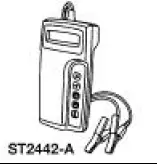 |
Micro 490 Digital Battery Analyzer 162-00004 |
Inspection and Verification
1. Verify the customer concern by operating the system.
2. Visually inspect for obvious signs of mechanical or electrical damage.
Visual Inspection Chart
| Mechanical | Electrical |
|
|
3. If an obvious cause for a concern is found, correct the cause before proceeding to the next step.
4. If the fault is not visually evident, proceed to the pinpoint test.
Pinpoint Tests
PINPOINT TEST A: BATTERY CONDITION TEST
| Test Step | Result / Action to Take |
| A1 TEST BATTERY CONDITION | Yes Does the meter read, GOOD BATTERY? RETURN the battery to service. REFER to Section. Does the meter read, GOODRECHARGE? CHARGE the battery and RETURN to service. REFER to Section. Does the meter read, CHARGE & RETEST? Fully CHARGE the battery and RETEST No Does the meter read, REPLACE BATTERY? INSTALL a new battery. Does the meter read, BAD CELLREPLACE? INSTALL a new battery. |
NOTE: No battery with a red test-eye should be replaced. The red eye only means the battery is discharged, not necessarily defective. NOTE: Failure to fully charge the battery before retesting may cause false readings.
|
Test yourself
A quick Ford Mustang quiz: every answer comes with an explanation and a link to the manual page.