Steering wheel controls
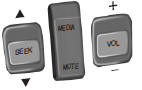
SEEK:
Press to select the next or previous stored preset or track.
Press and hold to select the next or previous frequency or seek through a track.
MEDIA: Press repeatedly to scroll through available audio modes.
MUTE:Press to silence the radio.
VOL (Volume):Press to increase or decrease the volume.
VOICE CONTROL (IF EQUIPPED)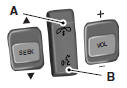
A. Phone mode
B. Voice recognition
See the SYNC or MyFord Touch chapter.
CRUISE CONTROL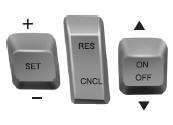
Type 1

Type 2
See the Cruise Control chapter for information on this feature.
INFORMATION DISPLAY CONTROL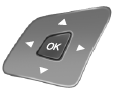
See the Information Displays chapter for more information.
Cluster Display Control Features
If equipped with: MyFord system: This control functions the same as the center control on the faceplate. See MyFord system in the Audio Systems chapter.
MyFord Touch: Use this control to adjust the right side of the cluster display. Navigate through the screen and press OK to select. See the MyFord Touch chapter.
HEATED STEERING WHEEL (IF EQUIPPED)See the MyFord Touch chapter.
Test yourself
A quick Ford Taurus quiz: every answer comes with an explanation and a link to the manual page.