Operation
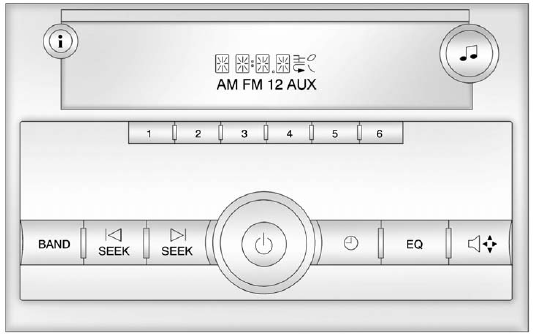
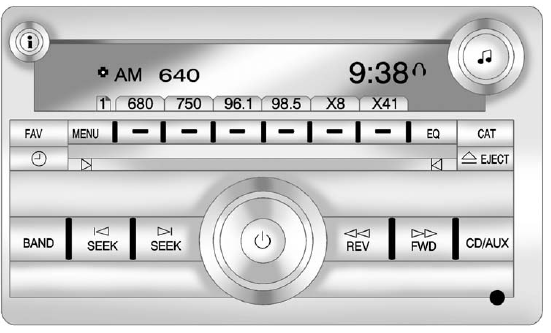
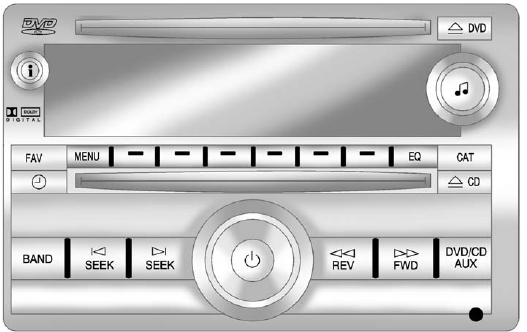
The vehicle has one of these radios as its audio system.
Radios with CD and DVD
Vehicles with a USB, CD, and DVD radio have a Bose® Surround Sound System. Some of its features are explained later in this section, “Adjusting the Speakers (Balance/Fade).” Vehicles with a USB, CD, and DVD radio may have a Rear Seat Entertainment (RSE) system. See Rear Seat Entertainment (RSE) System on page 7‑38 for more information on the vehicle's RSE system.
The DVD player is the top slot on the radio faceplate. The player is capable of reading the DTSprogrammed DVD Audio or DVD Video media. (DTS and DTS Digital Surround are registered trademarks of Digital Theater Systems, Inc.) Dolby and the double-D symbol are trademarks of Dolby Laboratories.
Manufactured under license from Dolby Laboratories.
Using the Radio
 (Power/Volume): Press to turn the system on and off.
Test yourself
A quick GMC Sierra quiz: every answer comes with an explanation and a link to the manual page.