Body
Driver's Vent Removal and Installation

Removal
- Battery Terminal (SRS) - Disconnection
 |
|
1. |
Make sure the ignition switch is in LOCK (0). |
|
2. |
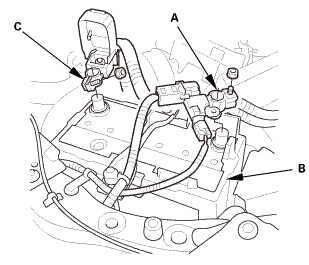
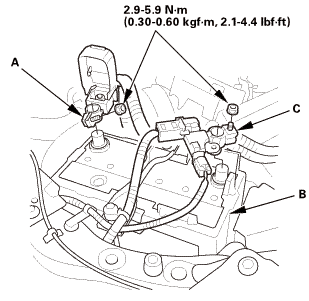
Disconnect and isolate the negative cable and battery sensor (A) from the battery (B). |
|
NOTE: Always disconnect the negative side first. |
|
3. |
Disconnect the positive cable (C) from the battery. |
|
4. |
Wait at least 3 minutes before starting work. |
|
- Driver's Dashboard Lower Cover
 |
|
1. |
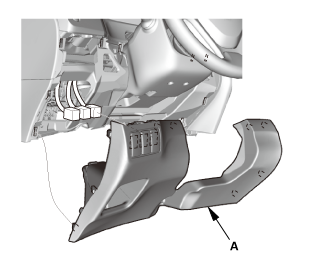
Remove the driver's dashboard lower cover (A). |
|
- Dashboard Subdisplay Visor
 |
|
1. |
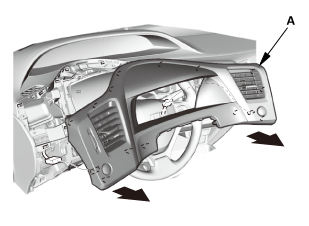
Remove the dashboard subdisplay visor (A). |
|
- Driver's Outer Vent
 |
|
1. |
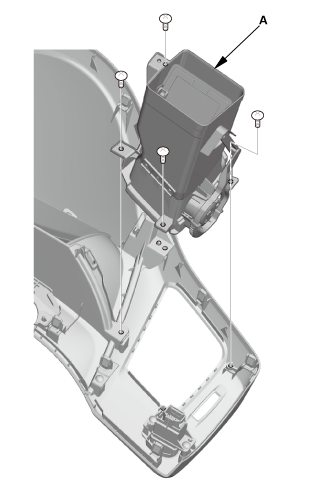
Remove the driver's outer vent (A). |
|
- Driver's Inner Vent
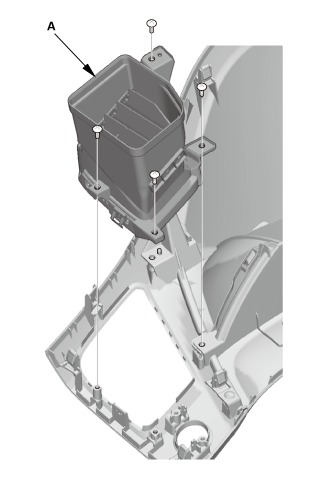 |
|
1. |
Remove the driver's inner vent (A). |
|

Installation
- Driver's Inner Vent
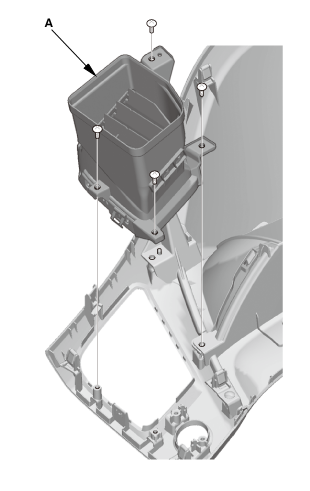 |
|
1. |
Install the driver's inner vent (A). |
|
- Driver's Outer Vent
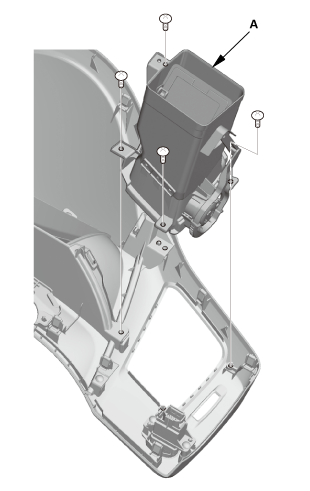 |
|
1. |
Install the driver's outer vent (A). |
|
- Dashboard Subdisplay Visor
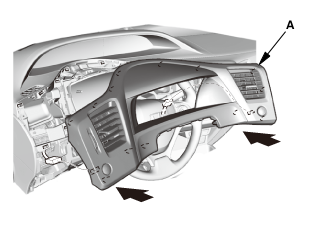 |
|
1. |
Install the dashboard subdisplay visor (A). |
|
- Driver's Dashboard Lower Cover
|
|
1. |
Install the driver's dashboard lower cover (A). |
|
- Battery Terminal (SRS) - Reconnection
 (o.2ao.sam.
|
NOTE: If the battery performs abnormally, test the battery.
|
1. |
Clean the battery terminals. |
|
2. |
Connect the positive cable (A) to the battery (B). |
|
NOTE: Always connect the positive side first. |
|
3. |
Connect the negative cable and battery sensor (C) to the battery. |
|
4. |
Apply multipurpose grease to the terminals to prevent corrosion. |
|
?
Test yourself
A quick Honda Civic quiz: every answer comes with an explanation and a link to the manual page.
Was this page helpful?