Second generation (2007-2026)
Personal Information
In this manual: Second generation (2007-2026)
~1min read
 INFO button
► Setup ►Personal Information
Use the personal information menu to select and set your address books, home addresses, and PINs. You can also delete unwanted destinations from the list of previously routed destinations.
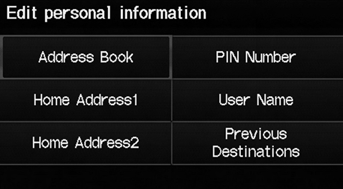
Select an item.
The following items are available:
• Address Book: Stores new addresses or edits your address book. • Home Address 1: Sets or edits your home address. • Home Address 2: Sets or edits another home address. • PIN Number: Sets or changes your PIN. • User Name: Sets or changes your user name.• Previous Destinations: Deletes the destination history.
Personal information cannot be backed up or moved to another navigation system.
Test yourself
A quick Honda Fit quiz: every answer comes with an explanation and a link to the manual page.
Was this page helpful?