Rear View Monitor Settings
Camera Settings
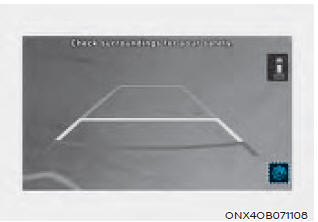
You can change the rear view monitor "Display Content" or "Display Settings" by touching the settings icon ( ) on the screen when the rear view monitor is on, or by selecting "Driver Assistance" > "Parking Safety" > "Camera Settings". Settings menu is available when the engine is running.
• In the "Display Content" section, you can change the "Rear View" settings, and in the display settings, you can change the screen "Brightness" and "Contrast".
Extended Rear View Camera Use
With the engine running, select "Display" > "Extended Rear View Camera Use" in the infotainment system setup menu to enable the extended rear view function, and deselect the check box to disable the function.
Test yourself
A quick Hyundai Tucson quiz: every answer comes with an explanation and a link to the manual page.