Off-peak time settings
Contents:
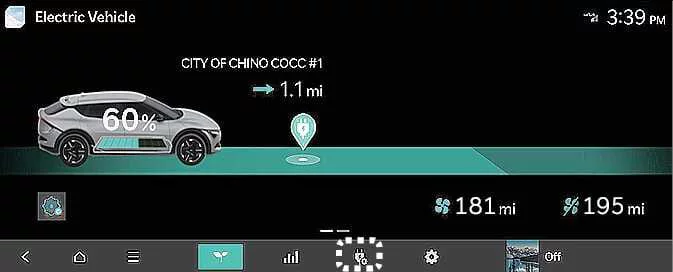 |
Tap the corresponding icon on the Kia EV6 infotainment screen to access Scheduled Charging and Target Temperature settings.
To use scheduled charging features, the Kia EV6 must remain connected to a charging cable at the scheduled charging time.
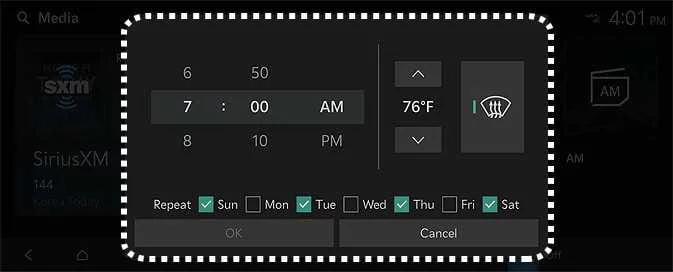 |
You can configure charging schedules, charging dates, charging times, and target cabin climate temperatures. The Kia EV6 also supports off-peak charging schedules to help reduce electricity costs.
Off-peak time settings
 |
|
Select Start Time if you want the Kia EV6 to begin charging during the designated off-peak electricity period. Otherwise, charging begins at the scheduled charging time.
Configure the preferred charging strategy for reduced electricity costs:
Charge ONLY during Off-peak: Charging occurs only during the designated off-peak period and may not fully charge the battery to 100%.
Prioritize Off-peak Charging: Charging begins during off-peak hours and may continue after the off-peak period ends in order to fully charge the Kia EV6 battery.
Target temperature Settings
|
If you want the cabin temperature of the Kia EV6 to automatically adjust before departure, set the desired target temperature while the vehicle is connected to a charging cable. In cold weather, pre-scheduled cabin heating can improve comfort and optimize electric vehicle efficiency before driving.