Driver adjustments
LCD display
In this manual: Driver adjustments
~1min read
Contents:
Changing LCD display modes
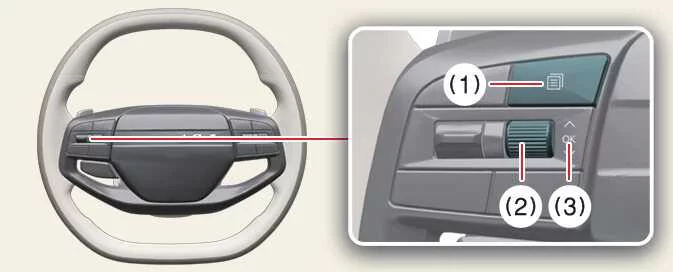 |
Switch | Control | Action |
|---|---|---|
Mode (1) ( |
Short Press |
Switches between different LCD display view modes. |
Up/Down (2)
|
Short Roll |
Searches and scrolls through utility and driving information. |
OK (3) |
Short Press |
Activates or confirms additional functions and menu items. |
Long Press |
Resets displayed menu information or trip data. |
 )
 ,

LCD display modes ➤
Was this page helpful?