Telephone and information
Calendar
In this manual: Telephone and information
~1min read
To view calendar.
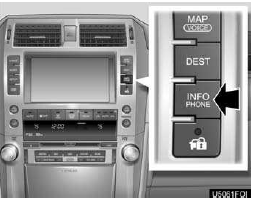
1. Push the “INFO/PHONE” button.

2. Touch “Calendar”.

On this screen, a blue line appears under the current date.
 or
 : To change month.
 or
 : To change year.
“Today”: To display the current month calendar (if another month will be displayed).
Test yourself
A quick Lexus GX quiz: every answer comes with an explanation and a link to the manual page.
Was this page helpful?