Interior Features
How to connect USB port/ Auxiliary jack
In this manual: Interior Features
6steps
~36min
2/5difficulty
Done 0 of 6
Type A (Without CD player)
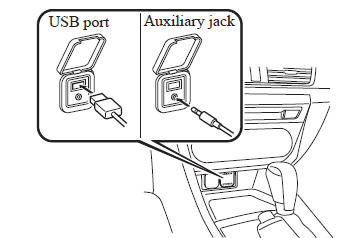
Type A (With CD player)
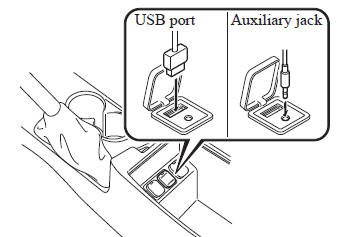
Type B (Without CD player)
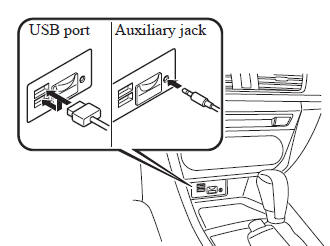
Type B (With CD player)
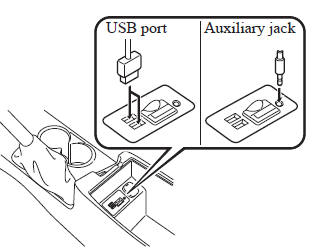
Connecting a device
- Open the console lid (with CD player).
- If there is a cover on the AUX jack or USB port, remove the cover.
- Connect the connector on the device to the USB port.
Connecting with a connector cable
- Open the console lid (with CD player).
- If there is a cover on the AUX jack or USB port, remove the cover.
- Connect the device plug/connector cable to the auxiliary jack/USB port.
For vehicles with a CD player, pass the device plug/connector cable through the notch in the console and connect.
NOTE
- Insert the plug into the auxiliary jack/ USB port securely.
- Insert or pull out the plug with the plug perpendicular to the auxiliary jack/USB port hole.
- Insert or remove the plug by holding its base.
Test yourself
A quick Mazda 3 quiz: every answer comes with an explanation and a link to the manual page.
Was this page helpful?