Maintenance and Care
Maintenance Monitor
In this manual: Maintenance and Care
~1min read
1. Select the  icon on the home
screen to display the “Applications” screen.
2. Select “Vehicle Status Monitor” to display the current warnings.
3. Select “Maintenance” to display the maintenance list screen.
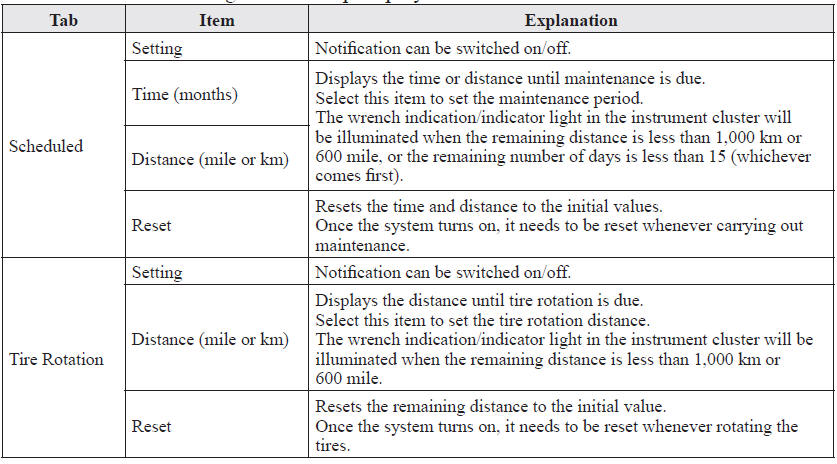
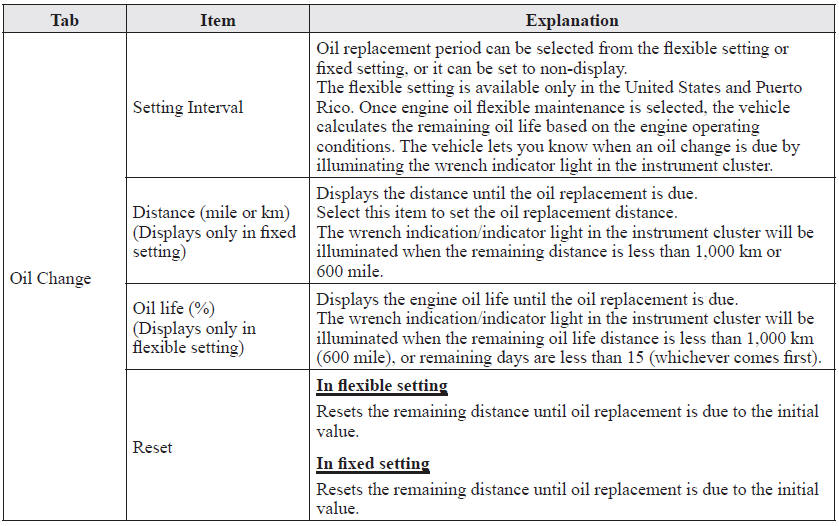
4. Switch the tab and select the setting item you want to change.
You can customize settings in the setup display as follows:
Test yourself
A quick Mazda 6 quiz: every answer comes with an explanation and a link to the manual page.
Was this page helpful?