Do not leave the lights on for long periods while the engine is turned off.
Otherwise the battery power could be depleted.
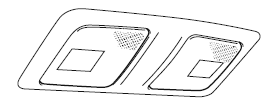
Overhead Lights
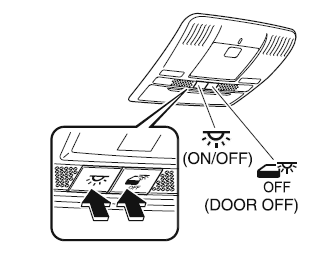
Type A
Switch
Overhead Lights
The DOOR OFF switch can be switched between the DOOR position and DOOR OFF position.
DOOR position
The lights turn on when any of the doors is opened.
The lights turn on/off in conjunction with the illuminated entry system.
DOOR OFF position
The lights do not turn on even if any of the doors is opened.
The lights do not turn on/off in conjunction with the illuminated entry system.
Press the switch to turn it on. Press the switch again to turn off the lights.
Front
Center
Rear
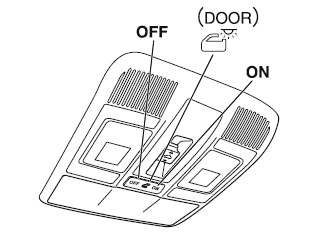
Type B
Switch Position
Overhead Lights
Light off
Light is on when any door is open
Light is on or off when the illuminated entry system is on
Light on
Front
Center
Rear
NOTE The rear overhead light and the center map lights also turn on and off when the front overhead light switch is operated.
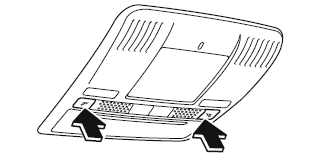
Front Map Lights
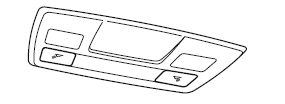
Type A
Press the switch to illuminate the front map lights, and then press the switch again to turn them off.
NOTE The front map lights will not turn off even if the switch is pressed in the following cases:
The overhead lights turn on by operating the overhead ON/OFF switch ( ).
The overhead lights turn on in conjunction with a door opening/ closing.
The illuminated entry system is on.
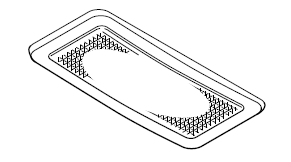
Type B
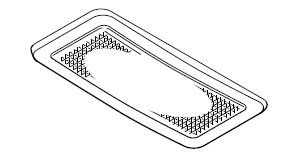
When the overhead light switch is in the door or off position, press the lens to illuminate the front map lights, and then press the lens again to turn them off.
NOTE The front map lights will not turn off even if the lens is pressed in the following cases:
The overhead light switch is in the ON position.
The overhead light switch is in the door position with the door open.
The illuminated entry system is on.
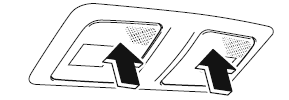
Center Map Lights
Type A
Press the switch to illuminate the center map lights, and then press the switch again to turn them off.
NOTE
Once the center map lights have been turned off, they will turn on and off in conjunction with the overhead light operation.
The center map lights will not turn off even if the switch is pressed in the following cases:
The overhead lights turn on by operating the overhead ON/OFF switch ( ).
The overhead lights turn on in conjunction with a door opening/ closing.
The illuminated entry system is on.
Type B
When the overhead light switch is in the door or off position, press the lens to illuminate a center map light, and then press the lens again to turn it off.
NOTE
Once the center map lights have been turned off, they will turn on and off depending on the position to which the overhead light is switched.
The center map lights will not turn off even if the lens is pressed in the following cases:
The overhead light switch is ON.
The overhead light switch is in the door position with the door open.
The illuminated entry system is on.
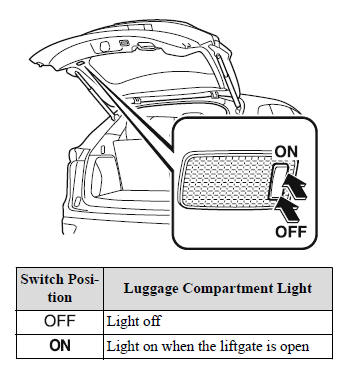
Luggage Compartment Ligh
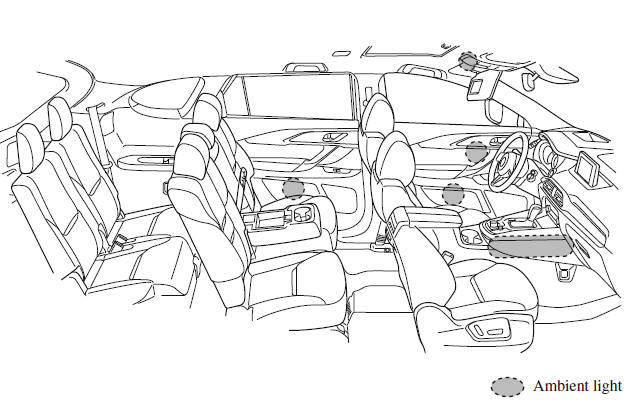
Ambient Light
The ambient lights continuously turn on when the ignition is switched ON.
The ambient lights dim when the parking lights or headlights are turned on.
NOTE
The ambient lights turn on or off in conjunction with the illuminated entry system when the ignition is switched OFF.
The ambient light illumination level can be changed while the parking lights or headlights are turned on.
Illuminated Entry System
The overhead lights turn on when any of the following operations is done with the overhead light switch in the DOOR position.
The ambient lights turn on regardless of the overhead light switch position.
The driver's door is unlocked with the ignition is switched OFF.
The ignition is switched OFF with all doors closed.
NOTE
The illumination time differs depending on the operation.
Battery saver If an interior light is left on with the ignition switched OFF, the light is turned off automatically after about 30 minutes to prevent battery depletion.
The operation of the illuminated entry system can be changed.
(Type A) The illumination entry system does not operate in conjunction with the overhead lights when the overhead lights are turned on using the overhead light ON/OFF switch.
?
Test yourself
A quick Mazda CX-9 quiz: every answer comes with an explanation and a link to the manual page.




 ).