Interior lights
CAUTION
- Do not leave the interior lights illuminated for an extended period while the engine is not running, as this can discharge the vehicle battery.
- Make sure the interior lights are switched off when leaving the Mitsubishi Outlander unattended.
NOTE
- The automatic interior lighting function can be turned ON or OFF through the multi-information display.
- If the automatic interior lighting function is disabled in the multi-information display, the following related functions will also be disabled.
- Automatic illumination of the interior lights when a door is opened.
- Automatic illumination of the cargo room light and liftgate light when the liftgate is opened.
- Automatic illumination of the interior lights when the ignition switch is turned off.
- Automatic illumination of the interior lights when the Mitsubishi Outlander is unlocked using the keyless operation function.
- If an interior light remains illuminated, it will automatically turn off after a period of time to help prevent excessive battery discharge.
Interior light switch
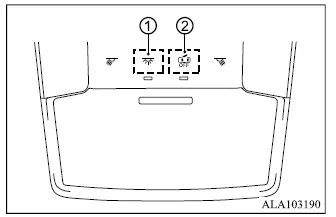
- The interior light can be switched ON regardless of whether the doors are open or closed. To help protect the battery, the light will turn off automatically after a period of time unless the ignition switch is placed in the "ON" position while a door is open.
- The interior lights can be configured to operate automatically when the doors are opened. To prevent the interior lights from illuminating while a door is open, touch the corresponding symbol. With this setting selected, the interior lights remain off regardless of door position. The lights will also turn off when the ignition switch is placed in the "ON" position, or when the driver's door is closed and the vehicle is locked.
Map lights
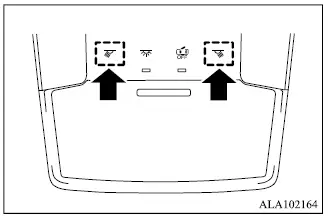
Touch the corresponding symbol to turn the map light on for localized illumination in the front seating area.
Touch the symbol again to turn the map light off.
Dome lights (if so equipped)
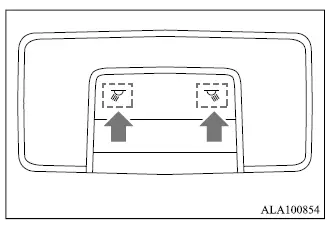
The dome lights are mounted in the headliner above the second-row seating area and provide general illumination for rear passengers.
Touch the corresponding symbol to turn the dome lights on.
Touch the symbol again to switch the dome lights off.
Rear personal lights (if so equipped)
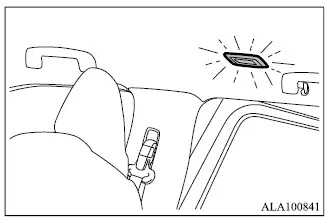
Touch the lens of the rear personal light to turn it on. Touch the lens again to switch the light off.
Vanity mirror light
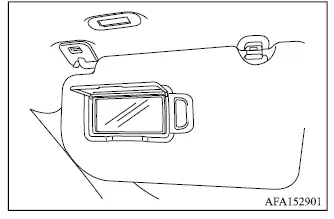
The vanity mirror light is positioned above the vanity mirror and provides illumination when the mirror is being used.
The light turns on automatically when the vanity mirror cover is opened.
Closing the cover switches the vanity mirror light off.
Cargo room light
The cargo room light illuminates automatically when the liftgate is opened, making it easier to see the Mitsubishi Outlander luggage compartment in low-light conditions. The light turns off when the liftgate is closed.
Liftgate light
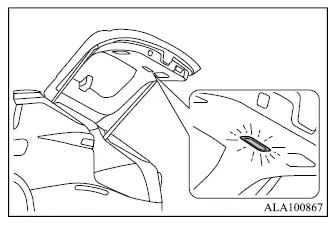
The liftgate light illuminates automatically when the liftgate is opened and turns off again after the liftgate is closed.
NOTE
- If the automatic interior lighting function has been turned off through the multi-information display, the liftgate light will remain off even when the liftgate is opened.
Foot light
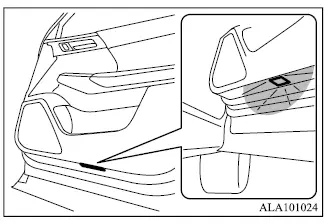
The foot light illuminates when a door is opened, providing additional light around the lower cabin and footwell area. When the door is closed, the foot light turns off.