Ventilators
Center ventilators
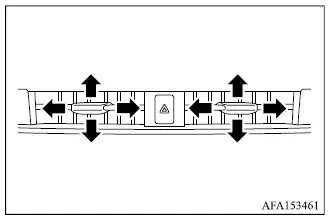
Adjust the direction of airflow from the center ventilators by moving the center knob up, down, left, or right until the air is directed where you want it.
To close a center ventilator, move its knob fully toward the inner side.
Side ventilators
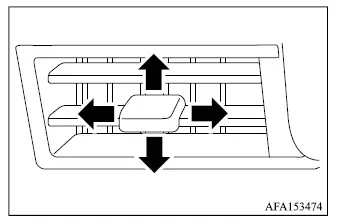
Adjust the airflow direction from the side ventilators by moving the center knob up, down, left, or right until the desired position is reached.
To close a side ventilator, move the knob fully toward the outer side.
Rear ventilators
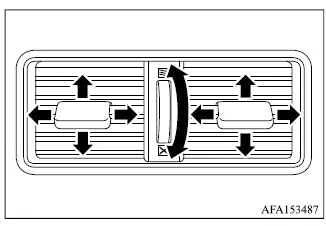
Open or close the rear ventilators by moving the side control in the corresponding direction.
 This symbol indicates that the ventilators are open. Moving the side control in this direction opens the rear air vents.
 This symbol indicates that the ventilators are closed. Moving the side control in this direction closes the rear air vents.
Once the ventilators are open, adjust the airflow direction by moving the center knob up, down, left, or right until the air is directed as desired.