Rear window and outside mirror defroster switch
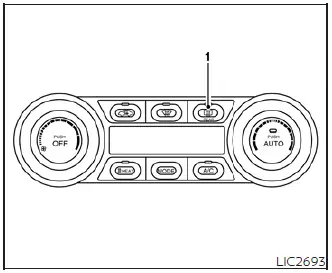
Type A (if so equipped)
To effectively clear frost, fog, or condensation from the rear window glass and the outside rearview mirrors of your Nissan Leaf, ensure the power switch is in the ON position and press the defroster switch (1) to activate the system.
Once the system is active, the corresponding indicator light will illuminate on the console. To manually deactivate the heating elements at any time, simply push the switch again.
For your convenience, the system is designed to turn off automatically after approximately 15 minutes of operation to prevent unnecessary power consumption.
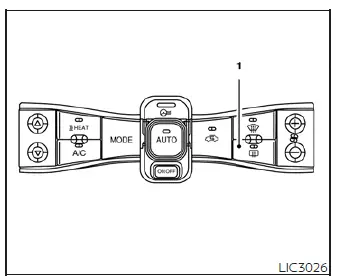
Type B (if so equipped)
CAUTION
When performing interior maintenance or cleaning the inner side of the rear window, exercise great care to avoid scratching, scraping, or otherwise damaging the delicate electrical filaments of the rear window defroster grid, as this can compromise the system's performance.