Instruments and controls
Manual Check
In this manual: Instruments and controls
~1min read
This function allows you to check the status of the vehicle (reminder of the active alert warnings) and the service information.
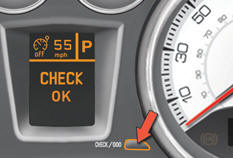
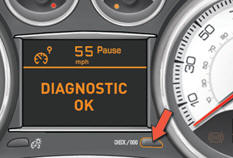
With the engine running, to start a manual check, briefly press the "CHECK/000" button on the instrument panel.
If no faults have been detected, "CHECK OK" appears in the instrument panel central screen.
If a "major" fault has been detected, only the warning lamps concerned appear in the instrument panel central screen.
Have it checked by a PEUGEOT dealer or a qualified workshop.
Test yourself
A quick Peugeot 308 quiz: every answer comes with an explanation and a link to the manual page.
Was this page helpful?