Audio
Category selection
In this manual: Audio
~1min read
Type A, B and C audio
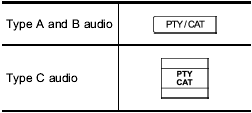
To activate the category search mode, press the “PTY/CAT” button. To deactivate the category search mode, press the “PTY/CAT” button again.
When in the category search mode, press the following button to change the category up or down.
Type A and B audio:

Type C audio:

When a category is selected, turning the “TUNE/TRACK/CH” dial selects channels only within the selected category.
The control function returns to the normal mode after approximately 10 seconds.
Test yourself
A quick Subaru Forester quiz: every answer comes with an explanation and a link to the manual page.
Was this page helpful?