Audio
To select a track from its beginning
In this manual: Audio
~1min read
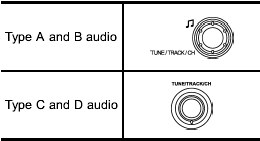
Turn the “TUNE/TRACK/CH” dial clockwise to skip to the beginning of the next track/file. Each time the dial is turned, the indicated track/file number will increase.
Turn the “TUNE/TRACK/CH” dial counterclockwise to skip to the beginning of the current track/file. Each time the dial is turned, the indicated track/file number will decrease.
- Skipping past the first track/file will take you to the last track/file in the folder.
Test yourself
A quick Subaru Forester quiz: every answer comes with an explanation and a link to the manual page.
Was this page helpful?