Audio
MODE button
In this manual: Audio
~1min read
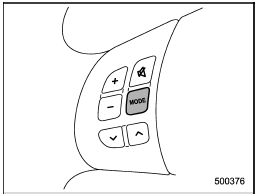
Models without Hands-free system
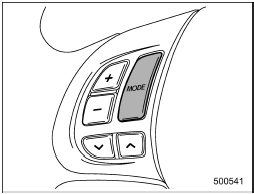
Models with Hands-free system
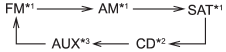
The “MODE” button is used to select the desired audio mode. Each time it is pressed, the mode changes to the next one in the following sequence:
Type A and B audio:
Type C audio:
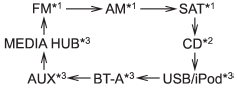
*1: The frequency last received in the selected waveband will be displayed.
*2: Only when a CD is in the player.
*3: Only when the device is connected.
Test yourself
A quick Subaru Impreza quiz: every answer comes with an explanation and a link to the manual page.
Was this page helpful?