Audio
Set speed dial
In this manual: Audio
~1min read
1. Select the “PHONE BOOK” menu.
2. Select “SET SPD DIAL” by operating the “TUNE/TRACK/CH” dial or select “SET SPEED DIAL” by using the voice command system.
3. Select the phone number by operating the “TUNE/TRACK/CH” dial/by pressing the talk switch  and saying the voice tag.
4. Select the “CONFIRM” menu.
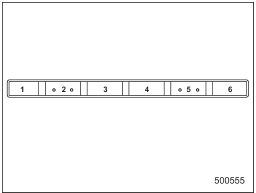
Preset buttons
5. Press the preset button in which you want to register the phone number.
Test yourself
A quick Subaru Impreza quiz: every answer comes with an explanation and a link to the manual page.
Was this page helpful?