Temperature control button
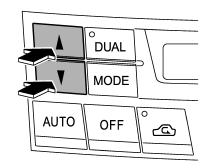
Driver’s side
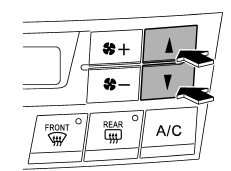
Passenger’s side
To increase the temperature setting, press the “ ”
side of the temperature control button. To decrease the temperature setting, press the “ ” side of the temperature control
button.
Each temperature setting is shown on the display. When the “LO” is shown, the system provides maximum cooling performance. When the “HI” is shown, the system provides maximum heating performance.
DUAL mode
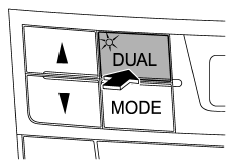
It is possible to make separate temperature settings for the driver’s side and passenger’s side (DUAL mode).
To activate the DUAL mode: Press the “DUAL” button. When the DUAL mode is activated, the indicator light on the “DUAL” button illuminates.
To deactivate the DUAL mode:
Press the “DUAL” button again. When the DUAL mode is deactivated, the indicator light on the “DUAL” button turns off and the temperature setting for the front passenger’s side becomes the same as the setting for the driver’s side.
Test yourself
A quick Subaru Legacy quiz: every answer comes with an explanation and a link to the manual page.