When driving
Eco Driving Indicator Light and current fuel consumption gauge customization
In this manual: When driving
6steps
~36min
2/5difficulty
Done 0 of 6
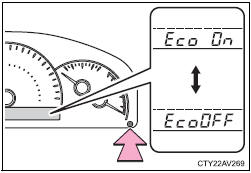
Eco Driving Indicator Light can be activated or deactivated
- While the odometer is being displayed, press and hold the display change button to display the Eco Driving Indicator Light customization screen
- Press the display change button to set Eco Driving Indicator Light to on or off.
- Press and hold the display change button to complete the setting
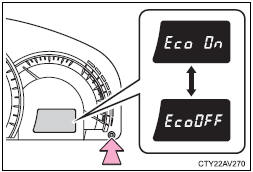
Eco Driving Indicator Light and current fuel consumption gauge can be activated or deactivated
- While the odometer is being displayed, press and hold the display change button to display the Eco Driving Indicator Light customization screen
- Press the display change button to set Eco Driving Indicator Light to on or off.
- Press and hold the display change button to complete the setting
If off is selected, Eco Driving Indicator Light and the current fuel consumption gauge (if equipped) will not be displayed.
Test yourself
A quick Toyota Camry quiz: every answer comes with an explanation and a link to the manual page.
Was this page helpful?