Programming the HomeLink®
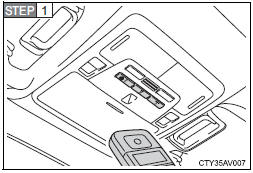
Point the remote control transmitter for the device 1 to 3 in. (25 to 75 mm) from the HomeLink® control buttons.
Keep the HomeLink® indicator light in view while programming.
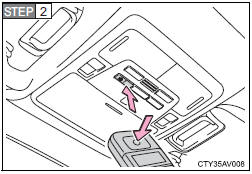
Press and hold one of the HomeLink® buttons and the transmitter button. When the HomeLink® indicator light changes from a slow to a rapid flash, you can release both buttons.
If the HomeLink® indicator light comes on but does not flash, or flashes rapidly for 2 seconds and remains lit, the HomeLink® button is already programmed. Use the other buttons or follow the “Reprogramming a HomeLink® button” instructions.
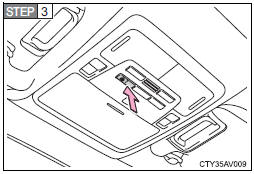
Test the HomeLink® operation by pressing the newly programmed button.
If a HomeLink® button has been programmed for a garage door, check to see if the garage door opens and closes. If the garage door does not operate, see if your remote control transmitter is of the rolling code type. Press and hold the programmed HomeLink® button. The remote control transmitter is of the rolling code type if the HomeLink® indicator light flashes rapidly for 2 seconds and then remains lit. If your transmitter is of the rolling code type, proceed to the heading “Programming a rolling code system”.
 Repeat the steps above to program another device for any of the remaining HomeLink® buttons.
Test yourself
A quick Toyota Camry quiz: every answer comes with an explanation and a link to the manual page.