Mayday Battery
Removal
REMOVAL
COMPONENTS (REMOVAL)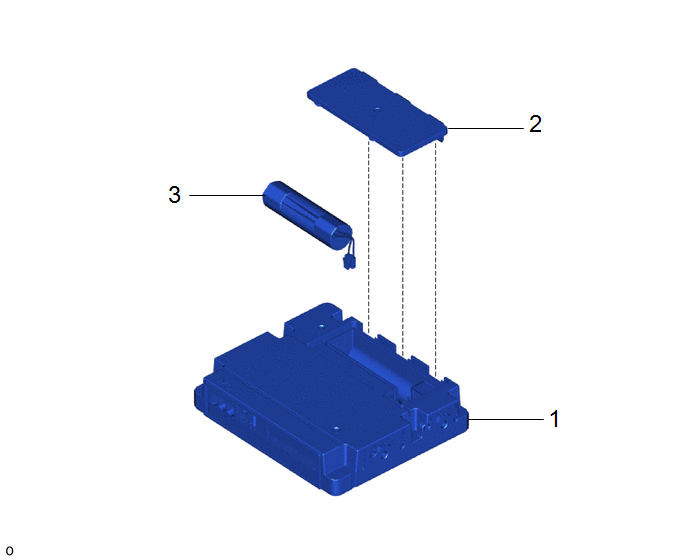
Procedure | Part Name Code |  |  |  |
|
|---|---|---|---|---|---|
1 |
TELEMATICS TRANSCEIVER |
86741A |
- |
- |
- |
2 |
TRANSCEIVER COVER |
86742 |
- |
- |
- |
3 |
MOBILEPHONE BATTERY |
86745 |
- |
- |
- |
The necessary procedures (adjustment, calibration, initialization, or registration) that must be performed after parts are removed and installed, or replaced during mobile phone battery removal/installation are shown below.
Necessary Procedure After Parts Removed/Installed/ReplacedReplaced Part or Performed Procedure | Necessary Procedure | Effect/Inoperative Function when Necessary Procedure not Performed | Link |
|---|---|---|---|
Mobilephone battery |
Reset mobilephone battery condition |
Safety connect system |
 |
PROCEDURE
1. REMOVE TELEMATICS TRANSCEIVER
Click here
2. REMOVE TRANSCEIVER COVER
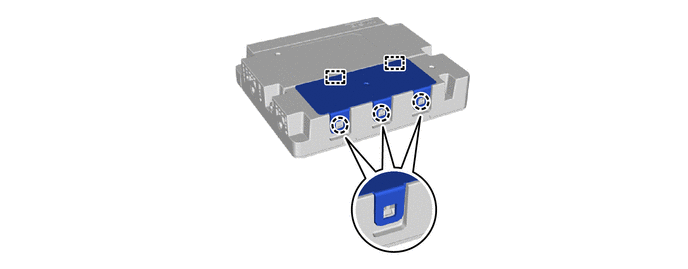
3. REMOVE MOBILEPHONE BATTERY
NOTICE:
Do not reuse dropped or damaged parts.
(a) Remove the mobilephone battery as shown in the illustration.
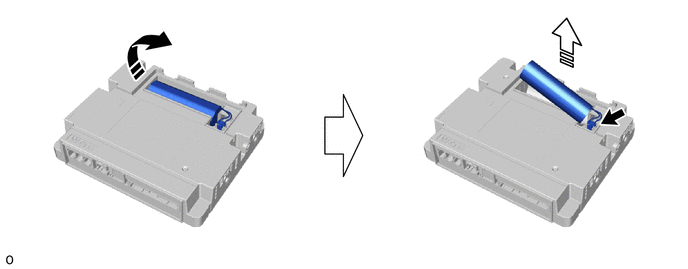
 |
Remove in this Direction (1) |
 |
Remove in this Direction (2) |
(b) Disconnect the connector.
Installation
INSTALLATION
COMPONENTS (INSTALLATION)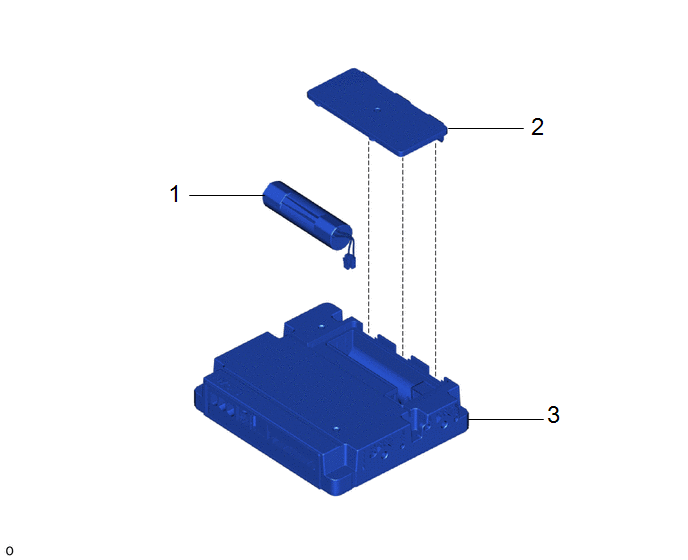
Procedure | Part Name Code |  |  |  |
|
|---|---|---|---|---|---|
1 |
MOBILEPHONE BATTERY |
86725 |
- |
- |
- |
2 |
TRANSCEIVER COVER |
86742 |
- |
- |
- |
3 |
TELEMATICS TRANSCEIVER |
86741A |
- |
- |
- |
PROCEDURE
1. INSTALL MOBILEPHONE BATTERY
(a) Connect the connector to install a new mobilephone battery as shown in the illustration.
NOTICE:
Check that the connector is securely connected.
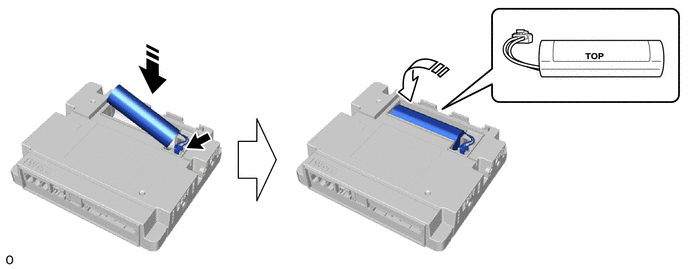
 |
Install in this Direction (1) |
 |
Install in this Direction (2) |
2. INSTALL TRANSCEIVER COVER
3. INSTALL TELEMATICS TRANSCEIVER
Click here 
4. PERFORM INITIALIZATION
Click here