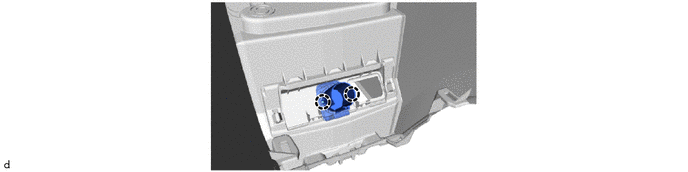
Removal
REMOVAL
COMPONENTS (REMOVAL)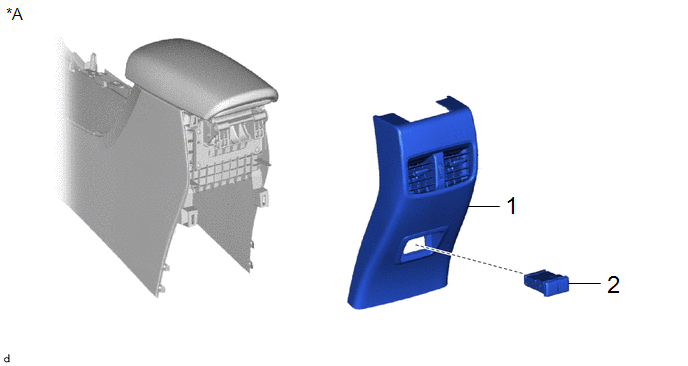
Procedure | Part Name Code |  |  |  |
|
|---|---|---|---|---|---|
1 |
CONSOLE REAR END PANEL SUB-ASSEMBLY |
- |
- |
- |
- |
2 |
USB CHARGER SOCKET |
85532 |
- |
- |
- |
*A |
for USB Double Charger Socket |
- |
- |
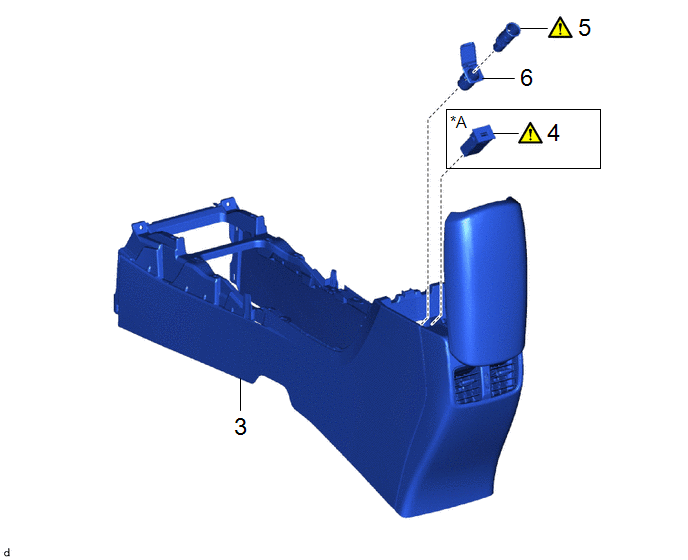
Procedure | Part Name Code | | | |
|
|---|---|---|---|---|---|
3 |
CONSOLE BOX ASSEMBLY |
58810J |
- |
- |
- |
4 |
USB CHARGER SOCKET |
85532 |
 |
- |
- |
5 |
NO. 1 POWER OUTLET SOCKET ASSEMBLY |
85530 |
|
- |
- |
6 |
NO. 1 POWER OUTLET SOCKET COVER |
85535B |
- |
- |
- |
*A |
for USB Single Charger Socket |
- |
- |
PROCEDURE
1. REMOVE CONSOLE REAR END PANEL SUB-ASSEMBLY (for USB Double Charger Socket)
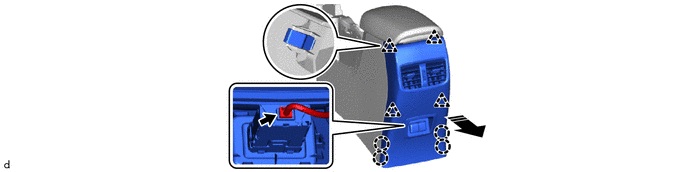
 |
Remove in this Direction |
- |
- |
2. REMOVE USB CHARGER SOCKET (for USB Double Charger Socket)
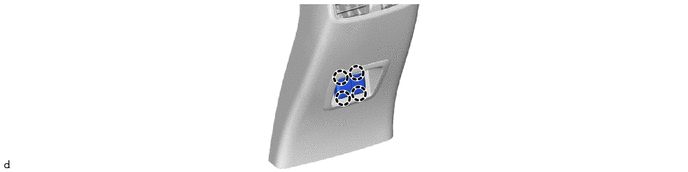
3. REMOVE CONSOLE BOX ASSEMBLY
Click here
4. REMOVE USB CHARGER SOCKET (for USB Single Charger Socket)
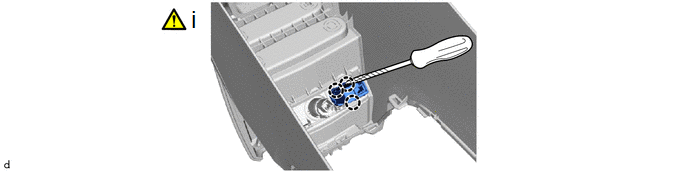
(1) Using a screwdriver with its tip wrapped with protective tape, disengage the claws to remove the USB charger socket.
5. REMOVE NO. 1 POWER OUTLET SOCKET ASSEMBLY
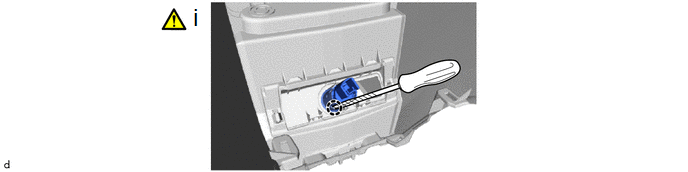
(1) Using a screwdriver with its tip wrapped with protective tape, disengage the claw to remove the No. 1 power outlet socket assembly.
6. REMOVE NO. 1 POWER OUTLET SOCKET COVER