Compass
The compass on the inside rear view mirror indicates the direction in which the vehicle is heading.
OperationTo turn the compass on or off, press and hold the button for 3 seconds. 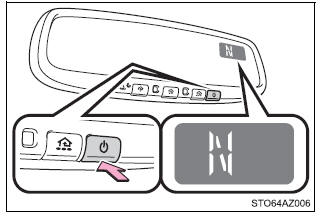 Displays and directions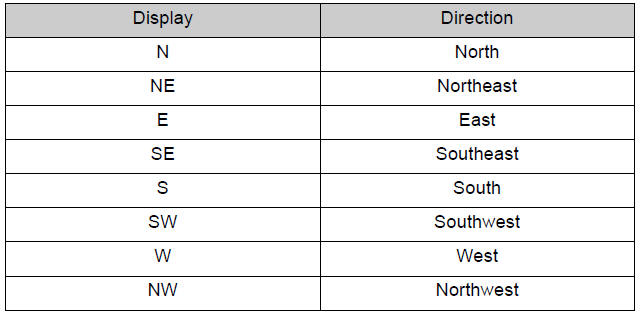 Calibrating the compass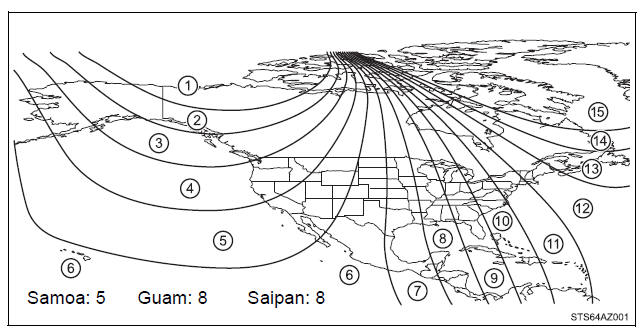 The direction display deviates from the true direction determined by the earth's magnetic field. The amount of deviation varies according to the geographic position of the vehicle. If you cross over a map boundary shown in illustration, the compass will deviate. To obtain higher precision of accurate calibration, refer to the following. ■ Deviation calibration1. Stop the vehicle. 2. Press and hold the button for 6 seconds. A number (1 to 15) appears on the compass display. 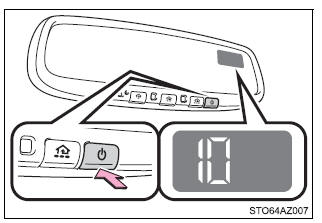 3. Press the switch, and referring to the map above, select the number of the zone where you are. If the direction is displayed several seconds after adjustment, the calibration is complete. ■ Circling calibration1. Stop the vehicle in a place where it is safe to drive in a circle. 2. Press and hold the button for 9 seconds. "C" appears on the compass display. 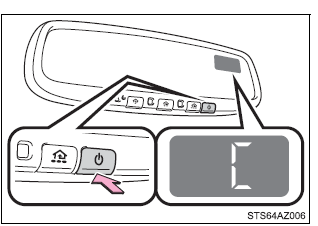 3. Drive the vehicle at 8 km/h or less in a circle until a direction is displayed. If there is not enough space to drive in a circle, drive around the block until the direction is displayed. 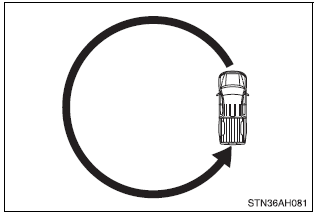 ■Conditions unfavorable to correct operation The compass may not show the correct direction in the following conditions:
■When driving the vehicle Do not adjust the display. Be sure to adjust the display only when the vehicle is stopped. ■When doing the circling calibration Be sure to secure a wide space, and watch out for people and vehicles in the neighborhood. Do not violate any local traffic rules while performing circling calibration. NOTICE■To avoid the compass malfunctions Do not place magnets or any metal objects near the inside rear view mirror. Doing this may cause a malfunction of the compass sensor. ■To ensure normal operation of the compass
|