FAV—storing a shortcut

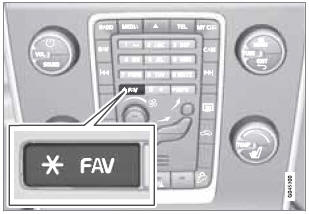
The FAV button can be used to store frequently used functions, making it possible to start the stored function by simply pressing FAV. One favorite (for example, Equalizer) can be programmed for each of the following infotainment system functions:
In RADIO mode
- AM
- FM1/FM2
- SIRIUS1/SIRIUS2*
In MEDIA mode
- DISC
- USB
- iPod
- Bluetooth*
- AUX
Favorites can also be stored for TEL, MY CAR, CAM* and NAV*. See page 133 for a description of the menu system.
To program a function on the FAV button:
1. Select a mode (e.g., RADIO, MEDIA, etc.).
2. Select a waveband or function (AM, Disc, etc.).
3. Press and hold FAV until the mode/function's "favorite" menu is displayed.
4. Turn TUNE to scroll through the list of alternatives displayed and press OK/ MENU to confirm (store) your choice.
> The next time the infotainment system mode (RADIO, MEDIA, etc.) is selected, a short press on FAV will start the stored function.
A favorite function can also be programmed using the MY CAR menu system. See page 134 for more information.
Test yourself
A quick Volvo XC60 quiz: every answer comes with an explanation and a link to the manual page.