Adjusting the Front Seat Lumbar Support
(Option/accessory)
Use the control on the side of the seat cushion to adjust the lumbar support.
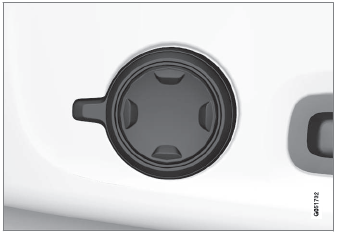
Multifunction control, in vehicles with four-way lumbar support*.

Control in vehicles with two-way lumbar support*.
Lumbar support is adjusted using the multifunction control in vehicles with four-way lumbar support*, or the round button in vehicles with two-way lumbar support*. The control is located on the side of the seat cushion. Depending on the selected equipment level, the lumbar support can be adjusted forward/rearward and up/down (four-way lumbar support) or forward/backward (two-way lumbar support).
Adjusting the lumbar support in vehicles with four-way lumbar support
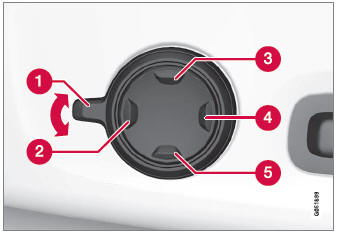
- Activate the multifunction control by turning the control
 upward/downward. The seat settings view will appear in the center display.
- Select Lumbar in the seat settings view.
- Press the round button up
 /down
 to move the lumbar support upward/downward.
- Press the front part
 of the button to increase lumbar support.
- Press the rear part
 of the button to decrease lumbar support.
- Press the round button up
Adjusting the lumbar support in vehicles with two-way lumbar support
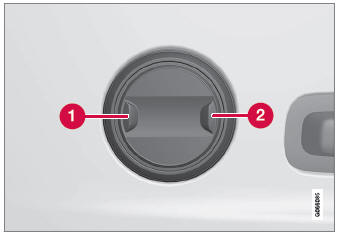
- Press the front part
 of the round button to increase lumbar support.
- Press the rear part
 of the round button to decrease lumbar support.
* Option/accessory.
Test yourself
A quick Volvo XC90 quiz: every answer comes with an explanation and a link to the manual page.