Starting and driving
Storage
In this manual: Starting and driving
~2min read
Cup holders
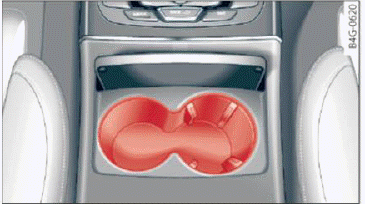
Fig. 62 Center console: front cup holder
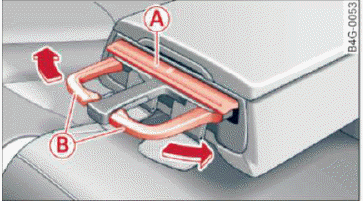
Fig. 63 Rear armrest: rear cup holder
Front cup holders
- Tap on the cover in the center console to open the cup holders.
Rear cup holders
- To open the cup holder, tap on the cover (
 symbol) A
 fig. 63.
- To adjust the cup holder to fit the beverage container, push the corresponding arm B in the direction of the arrow.
- Place the cup in the holder and release the arm.
The arm swings back by itself and secures the beverage.
- To close the cup holders, press the center piece between both arms and push the cup holders all the way back into the slot.
WARNING
- Do not put any hot beverages in the cup holder while the vehicle is moving. Hot beverages could spill, which can cause injury.
- Do not use any breakable beverage containers (for example, made out of glass or porcelain).
You could be injured by them in the event of an accident.
Note
Beverage containers in the cup holders should always have a lid. If not, beverages could spill and cause damage to vehicle equipment, such electronics or seat covers.
Cooled glove compartment
Applies to: vehicles with cooled glove compartment
The cooled glove compartment only functions when the A/C system is switched on.
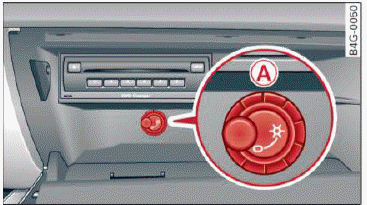
Fig. 64 Glove compartment: switching cooling mode on/ off
- Turn the knob (A) counter-clockwise to switch the cooling on. The symbols on the knob indicate the correct position.
- Turn the knob (A) clockwise to switch the cooling off.
The glove compartment cooling mode only functions when the vehicle A/C system is switched on.
If the heating is switched on, switching the glove compartment cooling mode off is recommended.
Was this page helpful?