Operation
Setting the Date
In this manual: Operation
~1min read
1. Select „Date“ and press the controller.
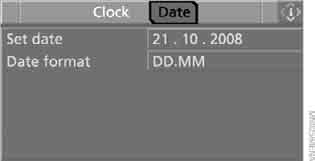
2. Select „Set date“ and press the controller. The first input position (in this case, the day) is highlighted.
3. Turn the controller to set the required value.
4. Press the controller to confirm the setting. The next input position is highlighted.
5. Make the remaining settings. After the last position is entered, the date is saved in memory.
Changing the date display format
1. Select „Date format“ and press the controller.
2. Select the desired format and press the controller.
This setting is stored in the memory for the key currently in use.
Test yourself
A quick BMW X3 quiz: every answer comes with an explanation and a link to the manual page.
Was this page helpful?