Programming the Switch-On Time
iDrive operating principles
1. Open the basic menu.
2. To access the "Climate" menu, slide the controller to the left.
3. Select "Independent mode" and press the controller.
4. Select "Switch-on times" and press the controller.
5. Slide the controller left or right to select "Timer 1" or "Timer 2".

6. Move to the hours input position and press the controller.
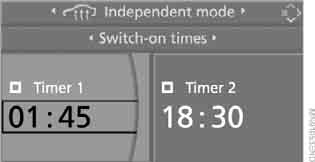
The first position for setting the clock time is highlighted on the display.
7. Turn the controller to set the required value.
8. Press the controller to confirm the setting. The next input position is highlighted.
9. Make the remaining settings. After the last position is entered, the time is stored in memory.
Test yourself
A quick BMW X3 quiz: every answer comes with an explanation and a link to the manual page.