Scheduled Maintenance (Service) Indicator
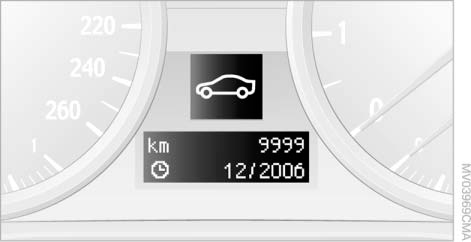
The date of the next scheduled maintenance and the remaining distance are displayed for several seconds immediately after starting the engine or switching on the ignition.
 Information on the scope of maintenance work is recorded in the vehicle key and read by the service advisor at the service station.◄
The due dates of individual work items and the corresponding remaining distance can also be displayed in the instrument cluster.
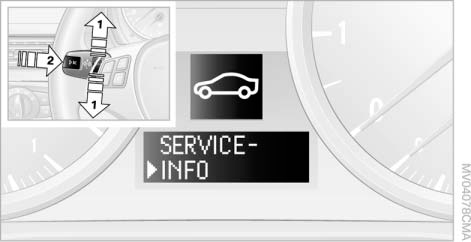
1. Press button 1 on the turn signal lever up or down until the corresponding symbol and the word "SERVICE INFO" appear on the display.
2. Press button 2.
3. Use button 1 to scroll through the individual items.
Possible Displays
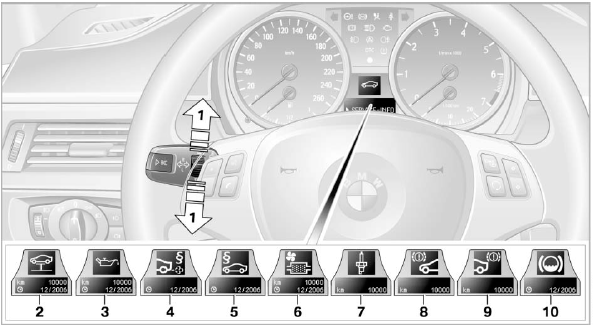
1 Button for selecting functions
2 Displaying the scheduled maintenance indicator
3 Checking the engine oil level
4 Checking exhaust emissions
5 Technical inspection
6 Micro filter
7 Spark plugs
8 Front brakes
9 Rear brakes
10 Brake fluid
For more information on the BMW maintenance system.
Test yourself
A quick BMW X3 quiz: every answer comes with an explanation and a link to the manual page.