Steering wheel
Adjustment
For safety reasons, do not adjust the steering wheel while driving.◄
Manual Adjustment
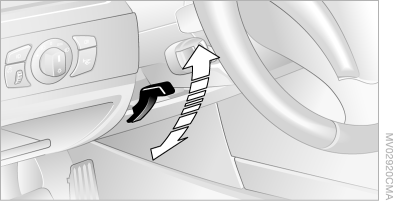
1. Pull down the lever.
2. Adjust the steering wheel's longitudinal position and tilt.
3. Return the lever to its original position.
Power adjustment
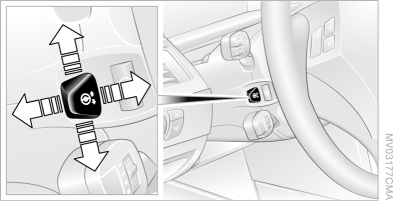
The steering wheel position can be adjusted in four directions.
For storing the steering wheel position, see the section "Memory function for seat, mirror and steering wheel positions".
Entry and Exit Assist Function
To make getting in and out easier, the steering wheel automatically moves fully upward.
Steering Wheel Heating
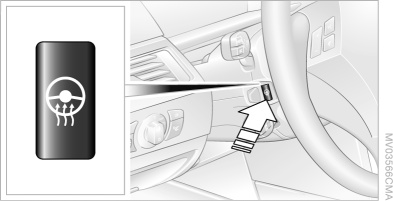
With the ignition key in position 2, press the button.
When heating is switched on, the LED in the button lights up.
Programmable steering wheel buttons
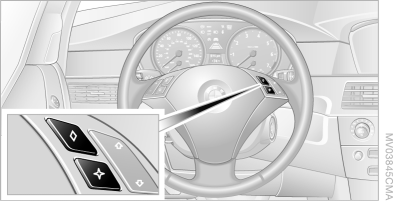
You can program the specified buttons yourself.
iDrive operating principles
1. Press the button .
The main menu opens.
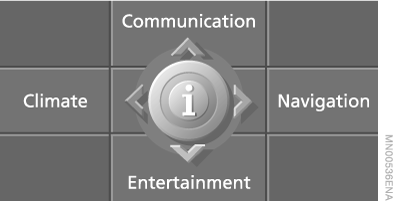
2. Press the controller to open the menu .
3. Select "Vehicle settings" and press the controller.
4. Select "Steering wheel buttons" and press the controller.
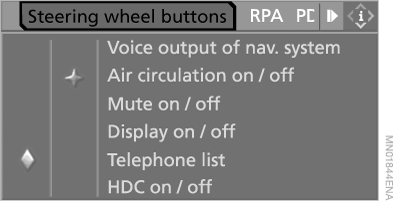
The following list of functions appears:
► "Voice output of nav. system"
► "Air circulation on/off" You can shut off the outside air supply, see the section "Automatic air quality control (AUC)".
► "Mute on/off" Switches the audio system sound off and on.
► "Display on/off" Switches the display on and off.
► "Telephone list" Switches between the audio system and the telephone.
► "HDC on / off" Switches Hill Descent Control (HDC) on and off.
► "Next entertainment source" Changes the audio source.
5. Select the function and press the controller.
6. Select the button.
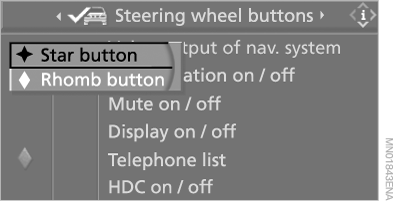
7. Press the controller.
This setting is stored in the memory for the key currently in use.
The selected function can now be controlled using the corresponding backup button.
Function control
Press the corresponding button on the steering wheel.
Voice announcements by the navigation system:
► To switch voice announcements on and off: press and hold the button;
► To repeat the last announcement: press the button;
► To interrupt an announcement with navigation system "Business": press the button.
Test yourself
A quick BMW X5 quiz: every answer comes with an explanation and a link to the manual page.