Navigation system
Display in the auxiliary window
In this manual: Navigation system
~1min read
In the "Professional" navigation system:
Route guidance or current position information can be displayed in a pop-up window. This information remains on the screen when you switch to another menu.
1. To open the pop-up window, slide the controller to the right.
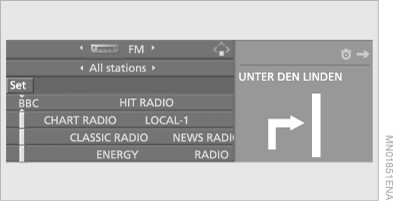
2. Press the controller.
The following menu items appear on the screen.
3. Select the route display method or "Vehicle position" and press the controller.
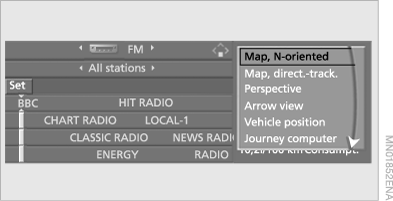
4. Press the controller.
While driving, the image in the auxiliary window is constantly updated.
Test yourself
A quick BMW X5 quiz: every answer comes with an explanation and a link to the manual page.
Was this page helpful?