Changing sound settings
1. Press the button .
The main menu opens.
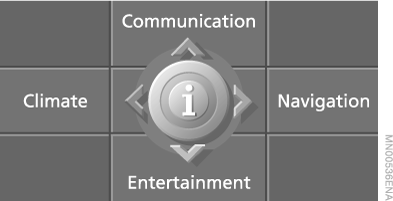
2. Press the controller to open the menu .
3. Select "Entertainment settings" and press the controller.
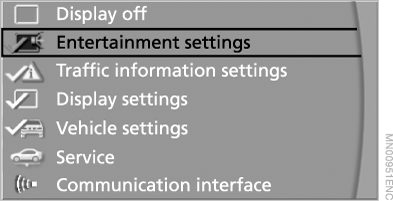
4. Select "Tone" and press the controller.
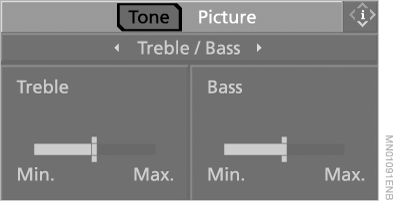
Alternatively: open the menus "Entertainment", "Set", "Tone" in sequence.
Treble and bass
1. Select "Treble / Bass" and press the controller.
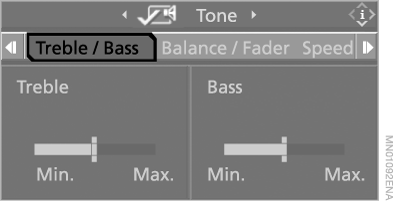
2. Slide the controller left or right and select "Treble" or "Bass".
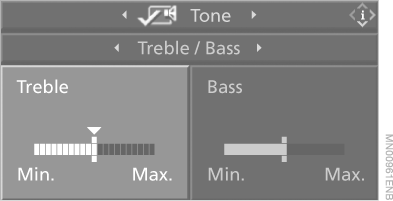
3. Turn the controller to set the required value.
Sound balance and fader
The right/left and front/rear signal level is adjusted in the same way as the "Treble / Bass" setting.
Speed-dependent volume control
With speed-dependent volume control, the playback volume increases automatically as vehicle speed increases. The degree of volume increase can be adjusted.
1. Select "Speed Volume" and press the controller.
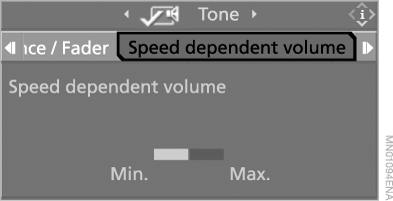
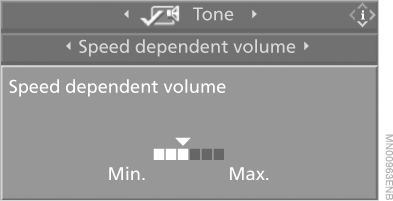
2. Turn the controller.
The setting is accepted. You can now move to another field.
HiFi System Professional LOGIC7
You can adjust the surround sound effect, which improves the spatial acoustics across the entire frequency range.
1. Select "LOGIC7 room acoustics" and press the controller.
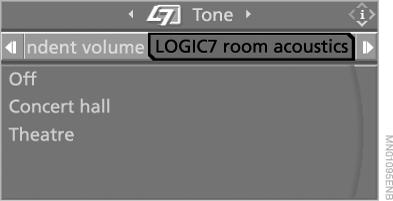
2. Select "Concert hall" or "Theatre".
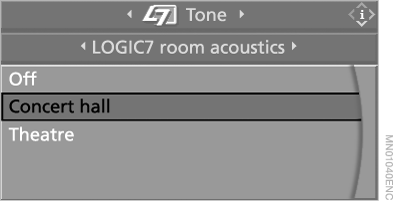
3. Press the controller.
The LOGIC7 surround sound effect is activated.
To switch off the surround sound effect, select "Off" and press the controller.
The name and logo "LOGIC7" are registered trademarks of "Lexicon, Inc.", a company of the "Harman International" group.
Equaliser
You can adjust individual frequency bands.
1. Select "Equalizer" and press the controller.
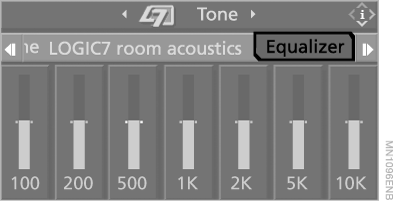
2. Move the controller left or right to select a frequency band.
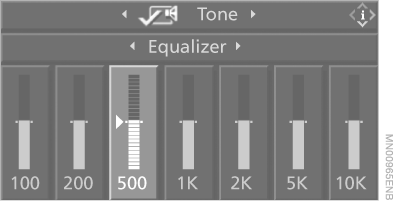
3. Turn the controller to set the required value.
Test yourself
A quick BMW X5 quiz: every answer comes with an explanation and a link to the manual page.