Registering with BMW Online
Before you can use the \"BMW Online\" service, you must request a personal password. It is sent by SMS message.
iDrive operating principles
1. Press the button .
The main menu opens.
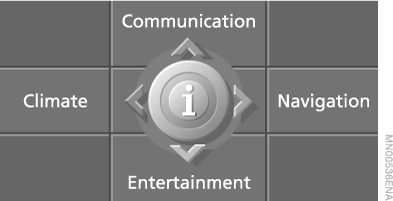
2. Slide the controller forward to open the "Communication" menu.
3. Select \"BMW Online\" and press the controller.
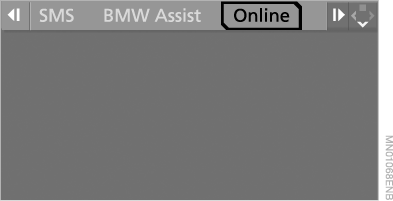
4. Select \"Accept\" and press the controller.
5. After the connection is established, press the controller to confirm the displayed telephone number.
6. Select and press the controller to log out of BMW Online.
Shortly, you will receive an SMS message with your personal password at the telephone number specified in the service contract.
7. After receiving the password, log in to BMW Online.
 You can specify other users of the BMW Online service via the Internet. These joint users can, with restrictions, use the services in the vehicle, via the Internet or a mobile phone that supports the WAP protocol.
When registering, a joint user receives an SMS message with their own password at the mobile phone number you specified.◄
Test yourself
A quick BMW X5 quiz: every answer comes with an explanation and a link to the manual page.