Logging in to BMW Online
1. Open the \"Communication\" menu.
2. Select \"BMW Online\" and press the controller.
3. Select \"Accept\" and press the controller.
4. After the connection is established, select your user name and press the controller.
5. To use BMW Online services in another vehicle, for example a rental vehicle, select \"Guest user\", press the controller and enter your user name and password.
6. Select \"Password\" and press the controller.
7. When entering the password, select letters and numbers and confirm each one by pressing the controller.
Asterisks appear on the control display instead of letters and numbers.
To enter a space, select and press the controller.
To delete the last letter, select , slide the controller to the right and press the controller.
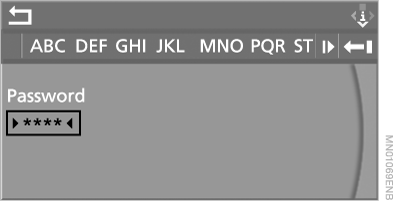
8. Press the controller.
A list of available services appears on the screen.
You can activate automatic registration so that in the future you only need to enter your user name to log in to BMW Online.
If you have forgotten your password, you can request a new one via the Internet.◄
With the \"Business\" mobile phone preparation kit, you can use BMW Online services and make telephone calls at the same time.
Test yourself
A quick BMW X5 quiz: every answer comes with an explanation and a link to the manual page.