Using the CD Menu
Changing the Playback Mode
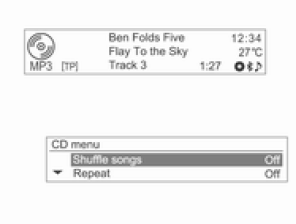
In playback mode, press the MENU-TUNE button to display the CD menu.
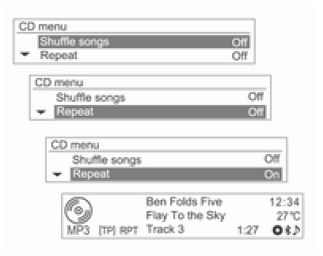
Turn the MENU-TUNE knob to select the random or repeat playback function, then press the MENU-TUNE button to turn it on (On) or off (Off).
CD Menu → Track List
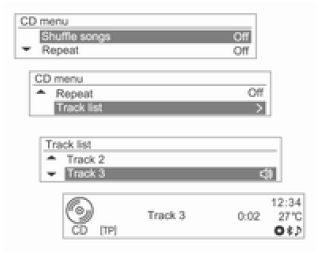
For an Audio CD, turn the MENU-TUNE knob in the CD menu to select Track List, then press the MENU-TUNE button.
Turn the MENU-TUNE knob to find the desired track, then press the MENU-TUNE button to play the selected track.
CD Menu → Folders
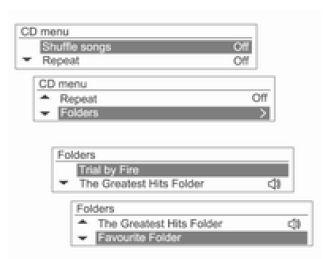
For an MP3 (WMA) disc, turn the MENU-TUNE knob in the CD menu to select Folders, then press the MENU-TUNE button.
Turn the MENU-TUNE knob to select the desired folder, then press the MENU-TUNE button.
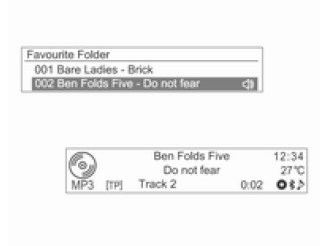
Turn the MENU-TUNE knob to find the desired track, then press the MENU-TUNE button to play the selected track from the selected folder.
CD Menu → Search...
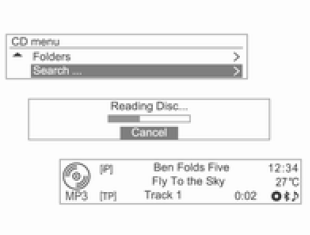
For an MP3 (WMA) disc, turn the MENU-TUNE knob in the CD menu, select Search..., then press the MENU-TUNE button.
- Once the system has read the disc information, the first track in the playlist [iP] is displayed.
- If there are no music files in the playlist [iP], the first track of each artist [iA] is displayed.
- Reading the disc information may, however, take a long time depending on the number of music files.
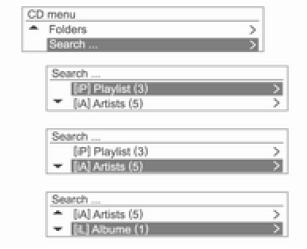
Press the MENU-TUNE button again, then turn the MENU-TUNE knob to select the desired playback mode from the list of search results.
The number of tracks is displayed for each category: Playlist [iP] / Artist [iA] / Album [iL] / Title [iS] / Genre [iG].
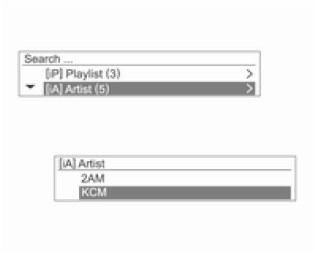
Turn the MENU-TUNE knob to select the desired category, then press the MENU-TUNE button.
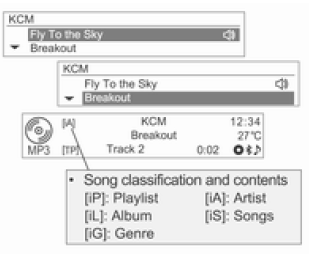
Turn the MENU-TUNE knob to find the desired track/title, then press the MENU-TUNE button to play the selected track.
Test yourself
A quick Chevrolet Aveo quiz: every answer comes with an explanation and a link to the manual page.