Playing CDs/MP3s
Main buttons/knob
(9) CD/AUX Button
Select the CD/MP3 player.
(14) MENU-TUNE knob button
- Turn the knob to scroll through the track list, menus or track information for MP3 (WMA) files.
- Press the knob to display the menu screen related to the current position or mode.
(8) Buttons SEEK

- Press one of these buttons to go to the previous or next track.
- Press and hold one of these buttons to fast-reverse or fast-forward the track, then release to resume playback at normal speed.
(4) EJECT Button Ejects the disc.
(7) INFORMATION [INFO] Button Displays information about the track being played.
Loading and Playing a Disc
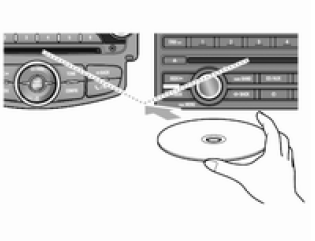
Insert the disc to be played into the disc slot, label side up.
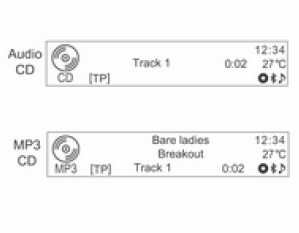
- After the disc has loaded, playback starts automatically from track 1.
- If a disc that cannot be played is inserted, it is automatically ejected and a disc error message is displayed. The system then switches back to the previously used function or FM station.
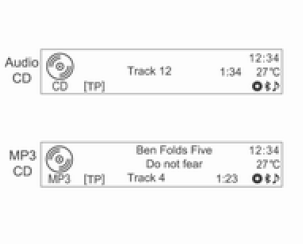
If a disc to be played is already loaded, press the CD/AUX button repeatedly to select the CD/MP3 player.
- If there is no disc in the player, the message No CD is displayed and this function is not selected.
- The previously played track starts playing automatically.
Ejecting a Disc
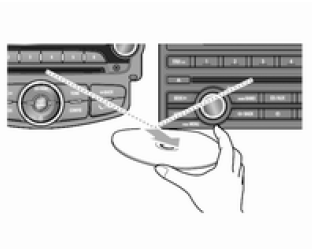
To eject the disc, press the EJECT button and remove the disc.
- After the disc is ejected from the player, the system automatically switches back to the previously used function or FM station.
- If the disc is not removed within a certain time, it is automatically pulled back into the player.
Changing the Track
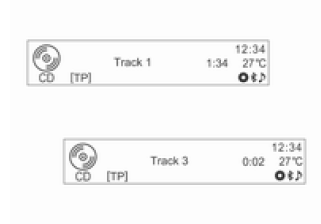
Press one of the buttons SEEK

in playback mode to go to the previous or next track.
Tracks can be changed easily by turning the Source knob [dSRCc] on the steering wheel.
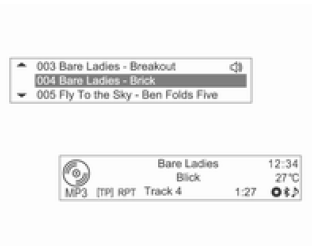
You can also turn the MENU-TUNE knob to scroll through the track list, then press the MENU-TUNE button to make the change.
Changing the Playback Position
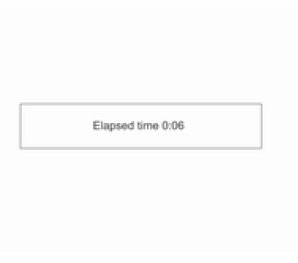
Press and hold one of the buttons SEEK

in playback mode to fast-reverse or fast-forward the track. Release the button to resume playback at normal speed.
During fast-reverse or fast-forward, the volume is slightly reduced and the playback time is displayed.
Displaying Track Information
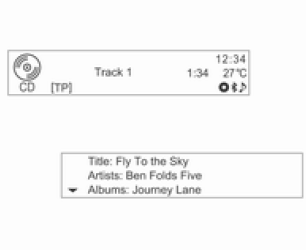
Press the INFORMATION [INFO] button in playback mode to display information about the track being played.
If the Audio CD does not contain track information, the system displays the message No Information.
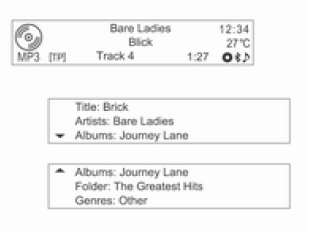
For MP3 (WMA) files, additional information can be displayed by turning the MENU-TUNE knob while track information is displayed.
- The displayed information includes the file name, folder name and information stored with the track as ID3 tags. If incorrect ID3 tags (e.g. artist, track title) were attached to MP3 (WMA) files before they were burned to the disc, this information will be displayed by the audio-navigation system as stored on the disc.
Incorrect information contained in ID3 tags cannot be changed or corrected in the audio-navigation system (ID3 tags can only be corrected on a PC).
- Track information recorded using special symbols or in unsupported languages may be displayed as ---- or may not be displayed at all.
Test yourself
A quick Chevrolet Aveo quiz: every answer comes with an explanation and a link to the manual page.